Botany AI Helper

Botany
Any Subject
Accounting
African-American Studies
Algebra
Anatomy
Annotated Bibliography
Anthropology
Archaeology
Architecture
Art
Art, Theatre and Film
Astronomy
Biochemistry
Biology
Botany
Business
Business and Entrepreneurship
Calculus
Chemistry
Coding
Communication Strategies
Computer Science
Construction
Coursework
Criminology
Discrete Mathematics
Earth Science
Economics
Education
Engineering
English
Environmental Issues
Ethics
Excel
Finance
Geography
Geology
Geometry
Healthcare
History
International and Public Relations
Javascript
Law and Legal Issues
Linear Algebra
Linguistics
Literature
Logistics
Macroeconomics
Management
Marketing
Mathematics
Microbiology
Microeconomics
Music
Nursing
Nutrition
Organic Chemistry
Other
Philosophy
Physics
Political Science
Presentation/Powerpoint
Project management
Psychology
Python
Religion and Theology
Science
Social Studies
Sociology
Spanish
Sport
Statistics
Technology
Tourism
Trigonometry
upload
Start recording
25 MB limit for audio files

Begin the recording

Please be close to the speaker!

00:00:00
image
Are you done recording?
Cancel, keep recording
Yes, I'm done recording
Please provide more details
image
Enter at least 5 characters in the question field or attach at least one file.
Too big for AI help
image
Max text length is 10,000 characters. Need to upload more — expert help has no limits!
Switch to expert help image
Too big for AI help
image
Max file size is 32MB. Need to upload more — expert help has no limits!
Switch to expert help image
Unsupported file type for AI
image
Allowed: txt, pdf, doc, png, jpeg, jpg. Need other formats — expert help supports all!
Switch to expert help image
AI Limit: One file only
image
For more files or bigger tasks, use expert help — no limits there!
Switch to expert help image

    Get expert botany answers with our advanced AI assistant!

    Help That Fits Your Botany Class

    🚀

    Level up your study flow with advanced reasoning mode and extra Edubrain features!

    Our Homework Solver in Action

    Ace your botany assignments — follow these steps:
    image
    image
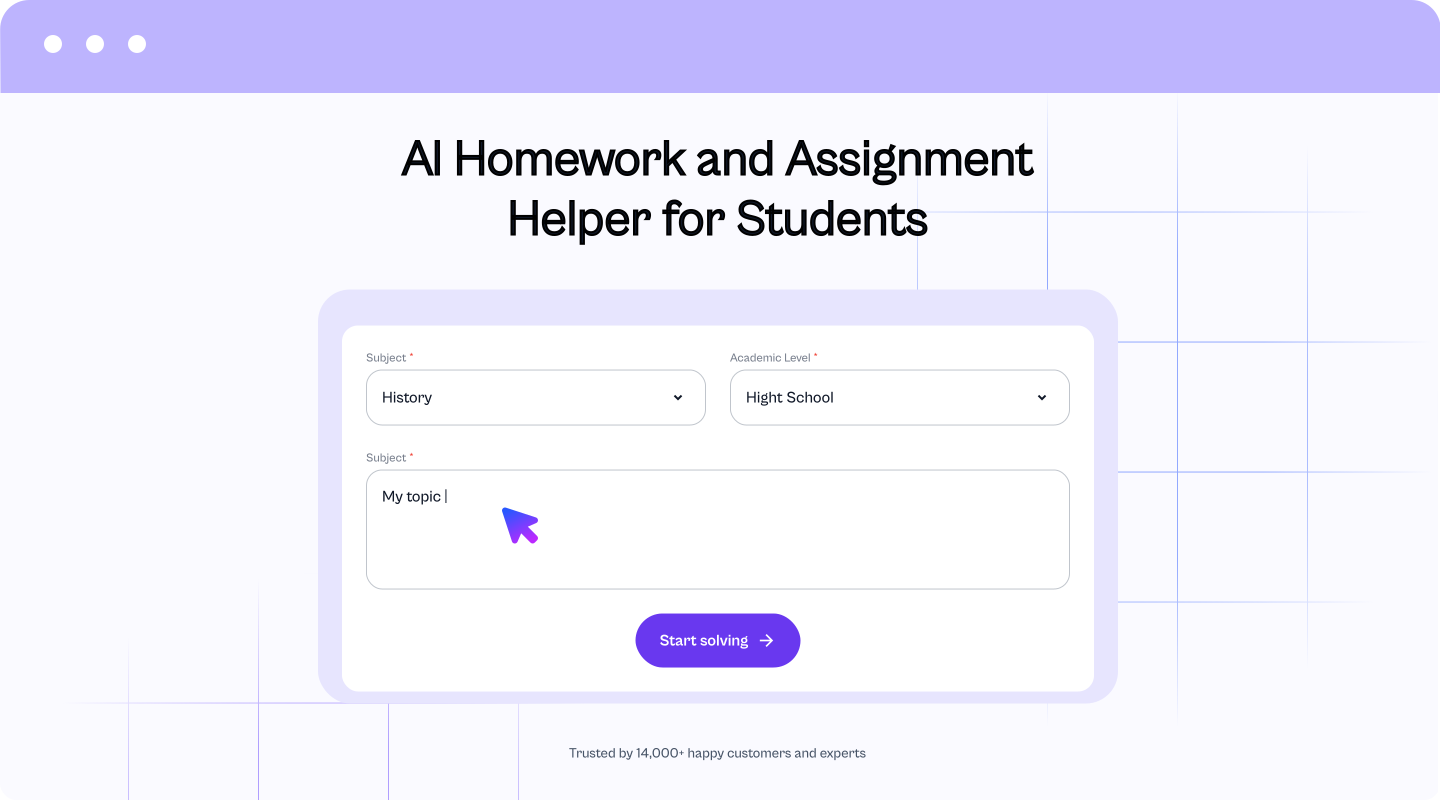
    Step 1: Enter the question
    Type the question, or upload a photo or PDF of the task. If you prefer, record the question with your voice.
    image
    image
    Step 2: Generate AI response
    Pick the output style you want (full breakdown, step-by-step explanation, or a short final answer). Then press “Start solving” and the solver generates a result that matches your choice.
    image
    image
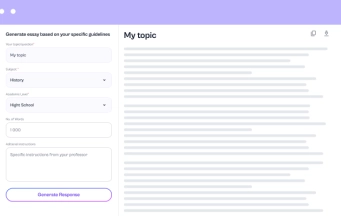
    Step 3: Customize the result
    Review the answer, then improve it by adjusting extra parameters or asking follow-up questions for more clarity and detail. If needed, request a new version until it fits your assignment.
    image

    Who Can Use It

    The Botany AI Helper helps anyone curious about plants and their patterns in the natural world. You can show it a photo, page, or PDF — it reads, explains, and replies like a tutor who never gets tired.

    Students: Snap a page from your textbook or a handout, and the tool turns it into clear answers. You can solve botany questions, learn from your own class notes, or check details about a specific plant.

    Biology majors: Upload a diagram or a research article in PDF form. The biology AI reads every label, interprets plant parts, and answers without skipping scientific context.

    Teachers: Turn your lecture slides into quiz materials or discussion points. EduBrain saves time and keeps explanations simple.

    Researchers: Scan data sheets or herbarium records. The tool finds useful terms in seconds and highlights how each connects to the bigger picture of plant biology.

    Explore More AI Tools

    220K+ students
    each month
    4,7
    1.5M+
    assignments solved
    27K+
    created graphs

    Trusted by Students

    Botany finally makes sense. The explanations feel clear, not like a textbook wall of words.
    Liliana G.(student)

    ✍️ Tell Us What You Think

    Add a short comment and help new users see what real experiences look like

    I double checked answers with my notes and they matched. That was a big relief!
    Milan R.(student)

    ✍️ Tell Us What You Think

    Add a short comment and help new users see what real experiences look like

    I uploaded a plant diagram and it explained every label that saved me so much time for the exam prep.
    Francesca K.(student)
    It broke down my lab steps without changing the science.
    Jack I.(student)
    The answers don’t sound robotic!
    Malaika R.(student)
    It followed the same logic my professor uses. That surprised me!
    Clara G.(student)
    Super easy!
    Linda A.(student)
    This saved me during a late night study panic.
    William W.(student)
    Free and actually useful. That’s rare!
    Linda A.(student)

    Choose your plan

    Cancel anytime. We'll email you 2 days before your subscription renews.

    Free plan

    $0 /week
    Key Features:
    • Unlimited use with ads included
    • Free access to all AI tools
    • Download all responses (answers, presentations, flashcards, etc.)
    • Share responses with others

    Expert help

    from $3.99
    Choose a service:
    • Presentations (human-made)
    • Homework help
    • STEM support
    • Writing assistance
    • Editing & proofreading
    4.89 Trusted by 229,863 students/mo

    Check Out Other AI Tools

    image
    AI Diagram Generator
    Create Diagram
    image
    AI Flowchart Generator
    Create Diagram
    image
    AI Mindmap Generator
    Create Diagram
    image
    AI Pie Chart Generator
    Create Diagram
    image
    AI Timeline Generator
    Create Diagram
    image
    Radar Chart Maker
    Create Diagram
    image
    Sequence Diagram Generator
    Create Diagram

    FAQs

    How does the Botany AI tool help with botany assignments?

    EduBrain’s botany AI supports students with botany assignments across plant biology and plant science. It answers botany questions on leaf anatomy, transport systems, reproduction, and soil links. Each answer highlights the main parts, so learners connect ideas to the natural world and build a better understanding.

    How accurate is the information provided?

    Answers often reach strong accuracy and follow clear steps. Still, plant science tasks can depend on a specific plant, class terms, or a course model. So, compare the information provided with your notes, then keep the version that fits your educators’ rules.

    Does it help with plant identification and taxonomy questions?

    Yes. Share what you see: leaf shape, venation, flower parts, habitat, and date or season. Then the tool helps you identify and classify likely groups and explains the logic that botanists use. You can also ask it to create a simple dichotomous-key style path from those traits.

    Can it handle harder plant biology topics?

    Yes. Choose “detailed explanations” and ask for step-by-step parts, then request one short example. If the question feels broad, split the work: define key terms, explain the process, then apply it to your case. This approach keeps the answer clear and easy to review.

    Does the AI cover up-to-date botanical research and discoveries?

    It covers core botany and widely taught science frameworks well. For very recent papers or niche discoveries, results can shift. In that case, paste a short excerpt, add a figure note, or share class slides, then ask the tool to explain and connect the points.

    Can I upload a photo of a plant diagram or a textbook page?

    Yes. Upload a photo or PDF, and the Botany AI helper can explain what the diagram shows, define the labelled parts, and turn the content into a clean summary. If you want, ask it to build a short study checklist from the same material.

    Is EduBrain only for botany?

    EduBrain works on more than plants. You can access a chemistry ai solver or our microbiology ai features. We even included a specific organic chemistry reaction solver. As a result, you keep one workflow for plants, data questions, and class prep, with fewer clicks and clearer steps.
    top
    Upgrade to Edubrain Premium
    Unlimited help across all subjects
    $16
    $3.99
    /week
    Core benefits:
    • ok Unlimited AI homework help
    • ok A+ quality answers
    • ok Faster responses, no limits
    Tools:
    • ok Notes generator
    • ok Diagram generator
    • ok AI detector and humanizer
    Extras:
    • ok Ad-free experience
    • ok Share responses with others
    • ok Advanced reasoning
    expert
    Expert-level help at discounted prices
    Cancel anytime
    Star
    4.6Trusted by 14,623 students
    🚀 Upgrade Plan
    You’ve reached the free limit of 5 slides.
    To generate a full presentation, please subscribe.
    Unlock with subscription:
    • ok Unlimited slide generation for presentations
    • ok AI-designed, well-structured slide content
    • ok Faster workflow for bigger decks
    -
    Plus, get unlimited access to:
    • ok Diagram Generator, Flashcard Maker, Notes Generator, Research Assistant, Answer Generator, AI Homework Helper & AI Detector
    • ok Discounted designer expert help
    Star
    4.6Trusted by 14,623 students