

AI Paraphrasing Tool
Stop worrying about copying. Edubrain paraphrasing tool helps you avoid plagiarism and keep academic integrity in every paper.
Refined Text

Type your text, press "Paraphrase", and see the new version below.

Chosen by Learners Everywhere





Keep Academic Integrity in Three Simple Steps
Write in your own words and keep the idea clear! This ai powered paraphrasing tool supports academic writing and helps you avoid plagiarism.
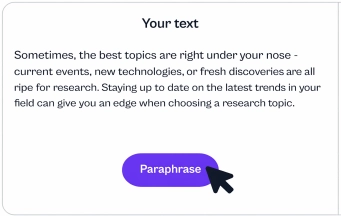

Paste your text
Drop your original text into the input box, or extract text from a doc and paste it in.
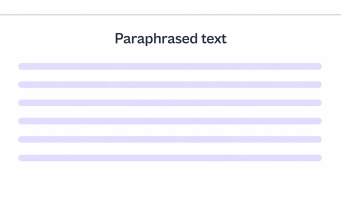

Pick a paraphrasing mode
Choose a paraphrasing mode that fits your goal. Then hit paraphrase so the ai powered paraphrasing tool rewrites text in your own words and keeps the original meaning.

Review and polish
Read the reworded text, check sentence structure, and run a quick grammar checker for grammatically correct output. If it feels off, adjust the synonym slider, rephrase sentences again, or switch mode.
More AI Tools to Try

AI Detector

AI Lecture Note Taker

AI Notes Generator

Powerpoint Generator

AI Research Assistant
Frequently Asked Questions
How do I keep the same meaning after I paraphrase text?
A solid paraphrasing tool should keep facts stable and protect the same meaning. Still, scan names, numbers, and claims right after you paraphrase text. Next, lock key terms, then edit the rest with the ai powered thesaurus click for safer swaps. If a line sounds “new,” rewrite that line by hand so the point stays true. As a result, the ai paraphrasing step supports clarity, not new claims.
Can an academic paraphrasing tool help with academic integrity?
A careful academic paraphrasing tool helps lower plagiarism risk, yet it does not replace citation. Meanwhile, keep the original source link or reference, even after you paraphrase text. Then check the output for close phrases, because a paraphrasing tool can stay too similar. For that reason, add a citation and a note where the idea came from to support academic integrity. Done right, using a paraphrasing tool feels like a rewrite, not a copy.
Is a paraphrasing tool considered cheating?
Some classes allow a paraphrasing tool, others treat it as a violation, so rules matter. On the other hand, many teachers accept edits that improve clarity and fix grammatical errors. Check the syllabus, then ask the instructor in one short message if unsure. If policy allows support tools, focus on your own draft and keep academic integrity. That keeps the work yours, even with ai generated text risk in mind.
How do I keep my writing style after a rewrite?
Voice can shift when the paraphrasing tool pushes formal wording too hard. Instead, set one tone goal, then review line by line for the same rhythm. Also swap only a few words at a time so writing style stays personal. If you need a clean academic tone, use an academic paraphrasing tool mode and shorten long lines. In the end, ai paraphrasing should help writing enhance fluency, not erase your voice.
Can a grammar checker catch issues after I use a paraphrasing tool?
Even a strong paraphrasing tool can create grammatical mistakes in complex sentences. Therefore, run a grammar checker and check subject verb match, tense, and articles. Then read it out loud, because your ear catches grammatical errors fast. If one sentence stays messy, split it into two short lines and keep the key point. That quick pass supports academic integrity since sloppy edits can hide copied structure.
What should I test before I keep the output from an ai paraphrasing tool?
The best paraphrasing tool keeps meaning, respects tone, and avoids strange claims. So test it with one paragraph that has facts, a quote, and a tricky sentence. Look for clear phrasing, plus no added details that were not in your draft. If the output feels too close, rewrite again and add your own phrasing. That small test supports academic integrity in a practical way.
Will my teacher see this as ai generated text?
A rewrite can sound “too perfect,” and that may trigger ai generated text vibes. Instead, drop in one detail from your lecture notes and one concrete example from your task. Next, keep the rewrite tool for small fixes, like one sentence at a time. Also change the sentence length so the paragraph feels natural.
Finally, check with an AI detector, plus use an AI to human text converter when a section still reads flat.
Can I get help beyond paraphrase work, like full study support?
Yes. Try AI homework help when you need a clear explanation, step by step help, or a fast check of your answer, and try lecture to notes AI when you need to turn class audio into clear notes before you paraphrase. Use AI flashcard maker to turn key terms and definitions into quick Q and A cards. Next, build a fast practice set with AI quiz maker so you can test your memory before class. Edubrain gives you a full set of study tools in one place.

 Unlimited AI homework help

 Diagram Generator, Flashcard Maker, Notes Generator, Research Assistant, Answer Generator, AI Homework Helper & AI Detector