

MLA Citation Generator
Are you sure you you want to delete all the citations in this list?
The Main Strengths of The MLA Citation Generator

One Source Entry That Links to Each In-Text Citation
The Edubrain MLA citation generator keeps one Works Cited entry for one source. After that, each in text citation can point at that same entry, so the link between text and list stays clear for every MLA citation.
Works Cited Order Stays Right After Draft Edits
MLA asks for an alphabetical Works Cited page under Modern Language Association rules. This generator helps the MLA Works Cited list keep that order after paragraph moves, new sources, or last-minute cuts in an MLA format paper.
Input From Strong IDs Cuts Wrong Matches
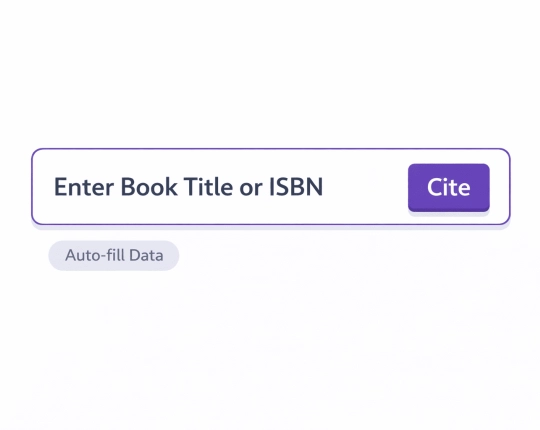
A DOI can fit one journal articles record. An ISBN can point at one book (often found fast on Google Books). A URL can match one web page. This input path reduces mix-ups that title search can cause, which supports accurate citations.
Fewer Late Fixes in Punctuation and Fields
MLA entries rely on core elements and a set order that the MLA Handbook outlines. This generator can keep that order steady, then a short check can catch the fields that tools miss and reduce incorrect citations in your Works Cited.

Who Is The MLA Citation Generator For
First-Year Students
Early papers often mix books, class readings, and web sources. A generator helps keep the Works Cited list in shape, even when the source set changes mid-draft, and it can lower accidental plagiarism risk when a citation slips in an MLA format paper.
Literature and Humanities Courses
MLA shows up often in writing courses and literature modules in the liberal arts. In these papers, quotes appear a lot, so quotation marks and the author–page habit in text matter on almost every page.
Thesis and Dissertation Writers
Long projects bring late sources. A generator helps keep the list and text citations aligned as chapters shift and references grow across longer research papers.
Group Projects
Group drafts can drift fast: one person types titles one way, another uses a shortened version, and the Works Cited list splits into two patterns. A shared workspace helps one pattern stay in place, even with other contributors.
How MLA Citations Work in Practice
Page Numbers Stay Inside the Citation
When the author name appears in the sentence, MLA still keeps the page number in parentheses. This matches the standard for parenthetical citations and keeps the line clean.
Works Cited Uses Core Elements and Containers
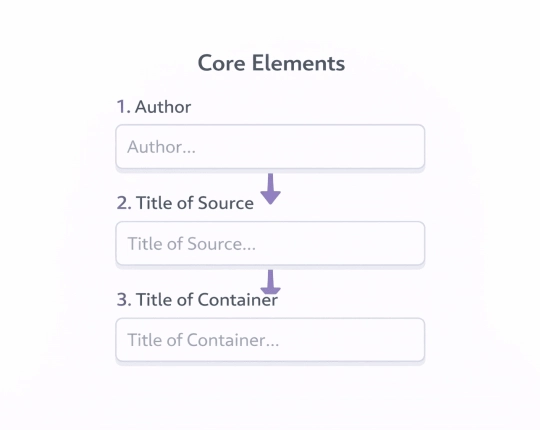
MLA formats entries by arranging core elements in a specific sequence. The term “container” refers to the larger work that includes the source, like a journal, database, or collection, within MLA style.
Works Cited Layout Has a Hanging Indent
When you create MLA Works Cited entries, remember to double space them. The first line should align with the margin, while the following lines should move to the right. This layout helps keep everything neat and organized on the Works Cited page.
Access Dates Stay Optional in Many Cases
MLA guidelines don’t always ask for an access date for online sources. However, it’s often beneficial, particularly when a page lacks a publication date or the information on it might change.
MLA References: A Short Guide
Before you paste the Works Cited list, scan each source type once. The list below shows what to check for each source type.
- Academic papers. Author, “Title of source,” journal title, volume, issue, date, pages, DOI or URL, plus database name as container when relevant.
- Books. Author, MLA format title, edition (when present), publisher, year.
- Book chapters or essays in collections. Chapter author and title, book title as container, editor names, publisher, year, page range.
- Websites. Author or organisation, page title, site name as container when it helps, date on the page, URL, access date only when it helps the reader locate the page later.
- Online video or audio. Creator or account name, title, platform as container, date, URL.
- Sources with no author. Title at the start of the entry, then the usual core elements; in text, a short title can replace the author.
How to Fix Typical MLA Mistakes
Here’s a table showing common MLA mistakes often found at the end of documents. Next to each error, you’ll find a quick way to fix it. This helps prevent citation errors. Consider these tips to make your citations accurate.
| Common mistake | Quick fix | Quick example |
| A quote has no page number in the in-text citation | Put the page number in parentheses with the author name or after it | (Ngugi 42) |
| Works Cited list order follows first mention in the paper | Switch to alphabetical order by author surname; when no author, use title | “Title of Article.” Site Name, … |
| A database article entry misses the database container | Add the database name as container, then keep the link or DOI as location | JSTOR, www.jstor.org/… |
| A web entry has no author line and no plan for that gap | Use an organisation name as author, or start with the page title when no organisation fits | World Health Organization. “Page Title.” … |
Explore More Citation Styles



 Unlimited AI homework help

 Diagram Generator, Flashcard Maker, Notes Generator, Research Assistant, Answer Generator, AI Homework Helper & AI Detector