Artificial intelligence (AI) is transforming educational technology. This change is particularly notable in mathematics. Traditional teaching methods now integrate with...

The Top AI Quiz Generators for Educators and More
Creating quizzes is not just for the classroom anymore. Quiz creation has become a tool for reinforcement, diagnostics, onboarding, and engagement in modern education and training environments. It doesn’t matter if you’re a university lecturer, a corporate trainer, or a self-learner; having some quiz questions can help make understanding and active recall much easier.
That is why I have tested and listed some of the top AI quiz generators currently available. With these paid and free AI tools, you can build high-quality quizzes in no time. A task that would previously have taken hours is now completed in mere minutes, thanks to the power of AI.
So, whether you’re looking for an academic quiz tool to help with grading or a gamified AI quiz generator, here are some of my top suggestions.
Table of Content
Toggle1. Wayground – For the Best Gamified AI Quiz

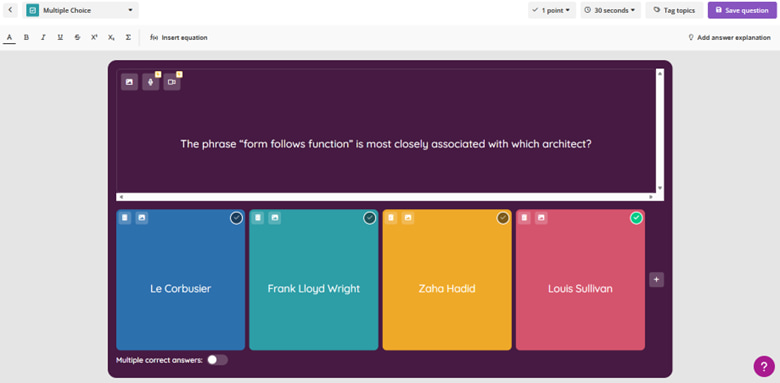
Wayground is among the most popular AI quiz makers in the world. It was originally known for its gamified quizzes, but has now grown into an AI-powered tool that lets you generate quiz questions in multiple ways. You can generate a quiz based on a prompt, import content from documents, edit the generated questions, add images and timers, and even track student performance for easy assessment.
With this quiz generator, you can also play live classroom games. There are competitive elements here, too, such as leaderboards and points, and avatars, that increase student engagement.
Ideal For
- K-12 classrooms
- Interactive learning
- Quick assessment checks
- Fun and engaging quizzes
How I Tested It
Using Wayground is very easy and convenient. I signed up and could start making a quiz for free. I chose multiple choice as the type of document I wanted to create, typed in my first question, and let Wayground’s AI generate possible answers. The process didn’t take very long, and the resulting colorful cards looked great.
2. QuestionWell – The Go-To Quiz Generator for Educators

Creating a quick, editable quiz is sometimes essential for educators, and QuestionWell is the best option for it. It generates multiple-choice questions that are fully aligned with educational standards. Teachers can paste content directly into the tool to create interactive quizzes that they can then customize. The questions churned out by the software come with plausible distractors, which is essential for quiz quality.
This Quiz maker uses AI to generate clean question formatting in very little time. It also makes exporting very easy, and integrates with learning management systems and tools like Google Forms.
Ideal For
- Teachers who wish to automate multiple-choice questions
- Content-based quizzes
- Integration with LMS
How I Tested It
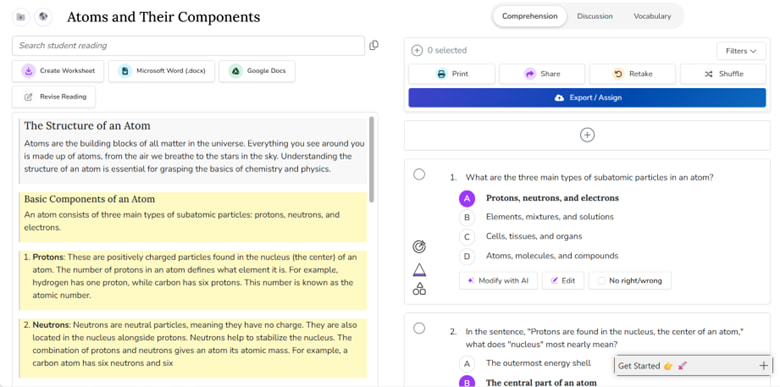
QuestionWell makes the process of making personalized quizzes as easy as can be. As soon as I opened the app, it asked me the basics of what I wanted, including the number of questions, the topic, the language, and the level of study. I asked it to give me questions based on the structure of an atom, and the result didn’t disappoint. Not only did it create multiple questions about the subject matter, but it also created a summary of the structure of an atom.
3. EduBrain – Much More Than a Quiz Maker

There aren’t too many tools designed with academics as the core focus. This is what makes EduBrain’s AI quiz generator a top contender for any education-related purpose, in my opinion, including making a quiz. You can upload study materials as a PDF or in another format, and EduBrain will generate and customize a college-level quiz with various question types. It works with many different subjects, including STEM and humanities, as well as custom topics for ultimate support.
The academic roots of EduBrain mean that it goes far beyond a typical quiz. It often generates concept-based multiple-choice questions and analytical short-answer prompts. Educators who want to design quizzes aligned with Bloom’s Taxonomy can’t go wrong with this one.
Ideal For
- College-level quizzes at various levels of difficulty
- Assignment-based quizzes
- Structured classroom evaluation
How I Tested It
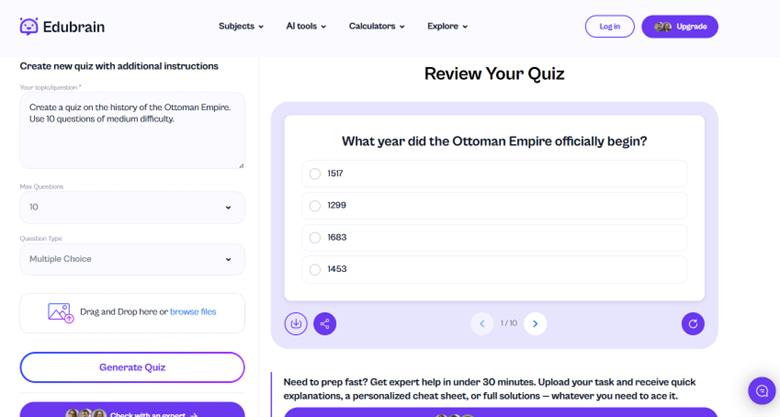
I’ve used EduBrain before, and testing its quiz creation capabilities made it clear why I think it’s the top overall AI tool for students. I asked the software to create MCQs on the Ottoman Empire and gave it a maximum limit of 10 questions, and it very quickly came up with relevant questions. There was the option to upload additional files as well, so you can always use a PDF to create a custom questionnaire.
4. Kahoot! – An Interactive Quiz Generator

Another quiz builder with gamification elements to create a quiz that’s interactive and educational, Kahoot! is one of my favorites on this list. It lets you generate quizzes by uploading a PDF, taking very little time to come up with more than one type of question. Since it also adds interactive elements into the mix, you can use Kahoot! for easy exam prep. The tool also has a live competition mode and visual and audio support.
Kahoot! is particularly useful for younger grades. It makes things very easy to understand, and uses fun images and colors to make the tests more like fun games.
Ideal For
- Younger students
- Healthy classroom competitions
- Icebreaker assessments
How I Tested It
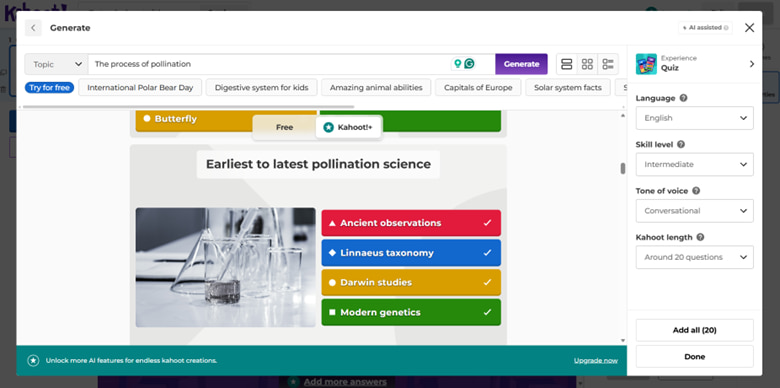
Generating a visual quiz with Kahoot! was easy. It didn’t take much input from me, as I just had to tell it a very basic topic, and the software handled the rest by itself. I told Kahoot! to create a quiz based on the process of pollination, selected the skill level, the tone of voice, and the number of questions. It came up with interesting queries about the process, complete with visuals and brightly colored blocks.
Beyond generating quizzes, you can visualize student performance data using a spider graph maker to identify specific areas where educators can provide additional support.
5. ChatGPT – More Accessible Than AI Quiz Generators

Not all AI quiz generators come with a free plan, which is why I have to recommend ChatGPT as well. While most people associate this tool only with writing tasks, it can be used to create a free AI quiz with the right prompt.
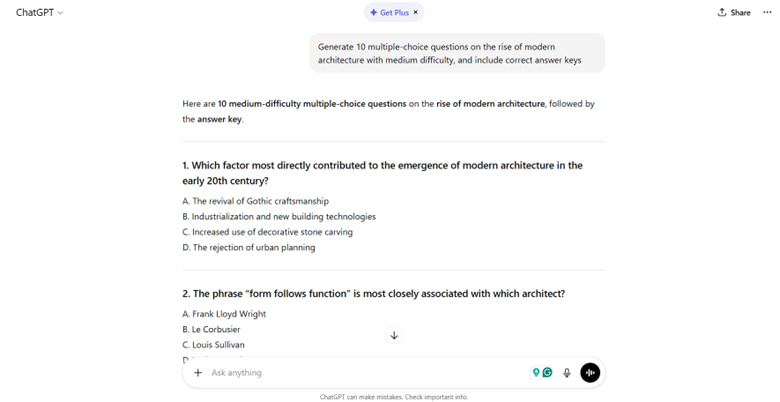
A prompt such as, “Generate 10 multiple-choice questions on the rise of modern architecture with medium difficulty, and include correct answer keys”, can lead to a nicely structured exam with difficulty levels based on what you require. The best thing about ChatGPT is that it allows for customization, works on mobile, and offers instant outputs. You can even ask it to embed images to make your quiz more interactive.
Ideal For
- Seamless mobile accessibility
- Various types of short answer questions, including multiple choice, trur of false, fill the blanks, etc.
- Quick and structured results
How I Tested It
All it takes to come up with a structured quiz in ChatGPT is to give it the right prompt. I pasted the exact prompt stated above into the tool, and it instantly generated a set of questions, with the answer key at the end. It then gave me the choice to regenerate everything as a printable sheet or add explanations for every correct answer.
6. Jotform AI Quiz Generator – A Supercharged Form Builder

Jotform’s AI quiz maker is worth a look, too, even though the tool itself is known as a form builder. Using Jotform to make quizzes for different cognitive levels is very easy for both educators and businesses. It can create diverse question types based on a prompt, customize your template, and collect the responses securely. You can also use it to make branded quiz forms, which makes it easy to share your quiz with third parties.
Since this isn’t just a classroom-only tool, you can use it for online certifications, surveys, assessments, employee training, and even lead generation.
Ideal For
- Branded quizzes
- Corporate training
- Online courses
How I Tested It
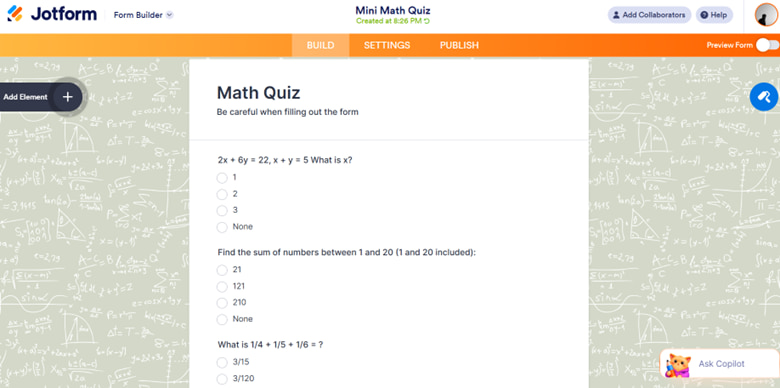
Jotform is an excellent option if you want to use premade templates to create your own quiz. It has hundreds of options to create both forms and formal quizzes. I chose a template for a math quiz, and the result was a fully made test that I could edit without any additional hassle. Jotform does seem a bit more formal than other tools on my list, but since it’s designed with both educators and corporate users in mind, the workflow is pretty efficient.
In addition to exploring the top AI quiz generators for educators and more, students can further enhance their study efficiency by using a free AI notes generator to quickly organize and summarize complex lecture materials.
What to Look for in an AI Question Generator
While the tools mentioned above will instantly generate well-structured and often auto-grading quizzes, they’re not all made equal. Some are designed purely with education in mind, while others aim to make learning easier and more fun for younger students. It is, therefore, essential that you know what you’re looking for before you start investing time and effort into a bunch of options.
To choose the right tool that allows you to make tests with PDFs or text input, you should keep the following in mind:
Quality of Questions
You should consider:
- Clear and easy to understand wording
- Logical answer choices
- A balance between confusion and clarity
- Efficient concept coverage
Customization
Is the platform designed to allow adjusting:
- Level of difficulty?
- Format of questions?
- Number of questions?
- Bloom’s Taxonomy levels?
- Visual theme?
Analytics and Feedback
Tools that offer the following are very valuable for educators:
- Performance tracking
- Learning insights
- Item analysis
Export and Integration
Make sure it is designed to streamline your workflow with export options such as:
- Google Forms
- LMS platforms
- PDF and other formats
- Word documents
Advantages and Limitations of AI Quizzes and Assessments
Whether you want to create a form to fill out or a detailed quiz complete with true or false questions, you should be familiar with some benefits and potential limitations of using an artificial intelligence-powered test generator. This will allow you to ensure academic integrity instead of falling prey to over-reliance on automatic test generators. Finding the right balance between convenience and control is essential when working with artificial intelligence, especially in the academic world.
Pros
- They save you a lot of time.
- Your productivity increases.
- Learning is enhanced via self-paced tests.
- Active recall is promoted.
- You can reiterate rapidly.
Cons
- You may see some ambiguous questions.
- Human review is required to ensure accuracy.
- Not all tools match your teaching style.
Final Thoughts
Artificial intelligence has found its way into every major industry in the world. This includes education, with educators getting access to more and more tools to help manage their classes. With AI quiz makers, they don’t need to manually create long MCQ tests, saving both time and effort. However, despite my recommendations, there’s never really one “best” tool that works for everyone.
For that reason, you must first figure out what you actually need to create. If you’re after a very academic tool, EduBrain is it. For gamified quizzes, Kahoot! is excellent. And if you want the most ease, you can use ChatGPT. Whichever tool you use, it’s crucial to understand that the future of assessment does not involve replacing teachers with AI, but rather empowering them with software that makes learning smarter and faster.
Explore Similar Topics
Many students say math is the subject they fear the most. Not because they never understood numbers, but because at...
In the past couple of years, AI tools like Edubrain have become essential for students, researchers, content creators, and professionals...