

Biochemistry AI Solver
Conquer your biochemistry homework with ease!
Ways This AI Assistant Works

Biochemistry solver
Enter a task and get a result. The platform supports free biochemistry help for daily biochemistry homework.
Step by step explanations
Each stage of a reaction appears in order. Thus, students track chemical processes and review enzyme kinetics with ease.
File inputs
A student uploads a lab pages, photos, PDFs. After that, Edubrain's system scans data and spots molecular structures in seconds.
Voice commands
Speak a problem into the app. Then the homework helper writes it out and returns support on enzyme kinetics.
Process logic
The biology AI solver breaks topics into parts. In turn, users grasp metabolic pathways and reach steady academic success.
Our Biochemistry Solver in Action
Nail your biochemistry assignments with EduBrain, follow these steps:
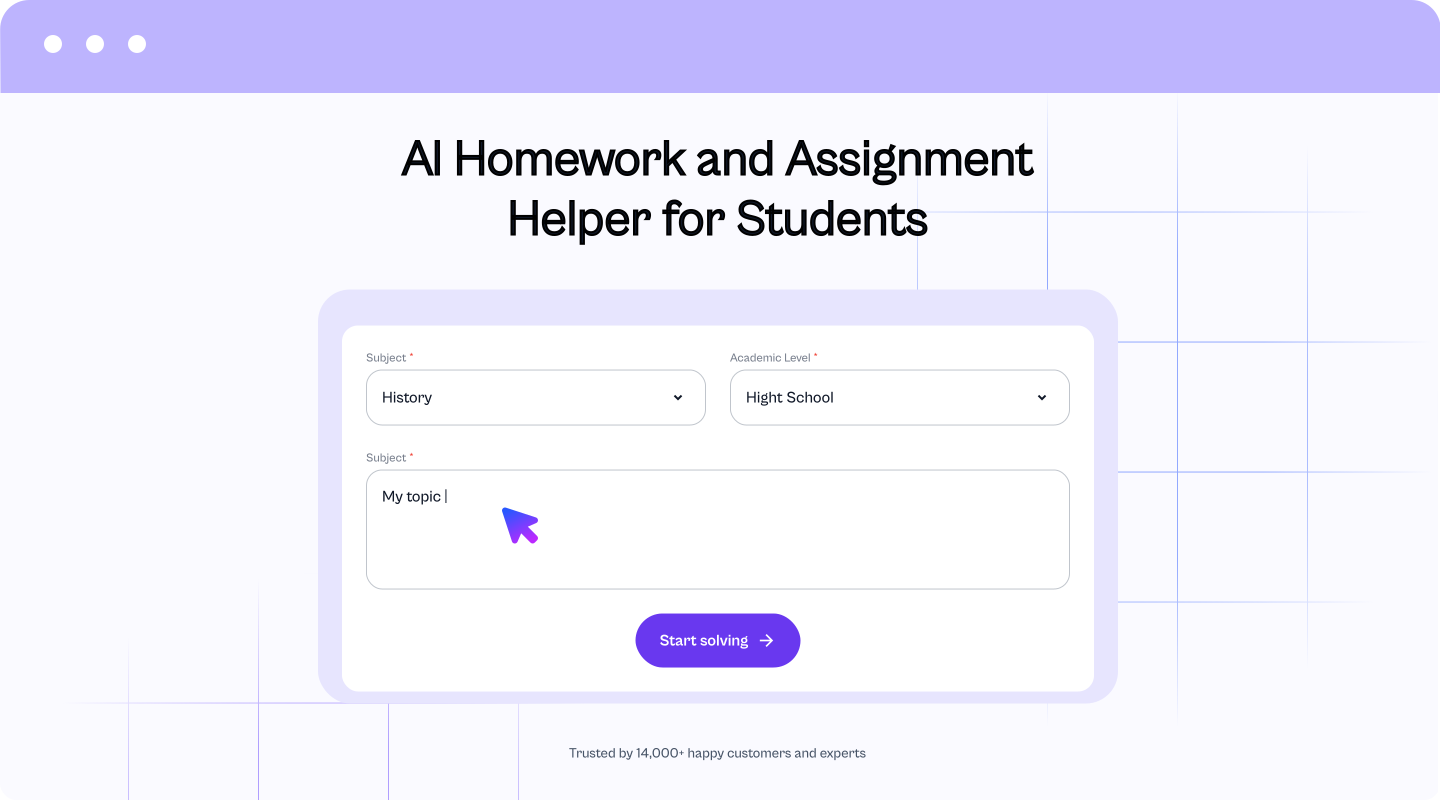

Step 1: Enter the question
Enter your biochemistry question.
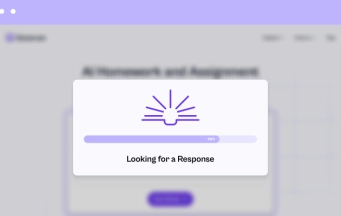

Step 2: Generate AI response.
Press the "Start solving" button to get an explanation from AI.
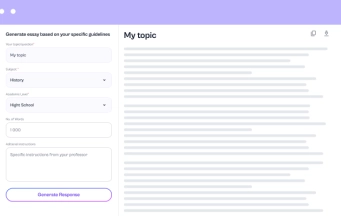

Step 3: Customize the result
If you want a better response, tweak the settings or feel free to ask more questions.
Featured in




More AI Tools to Try


Choose your plan
Cancel anytime. We'll email you 2 days before your subscription renews.
Free plan
$0 /week
Key Features:
- Unlimited use with ads included
- Free access to all AI tools
- Download all responses (answers, presentations, flashcards, etc.)
- Share responses with others
Most popular
AI-Plus
$3.99 /week
Key Features:
- Expert reviews on discounted prices
- Ad-free experience to:
- AI detector
- Diagram generator
- PowerPoint generator
- Answer generator
- Flashcard maker
- Notes generator
- Research assistant
- Download all responses (answers, presentations, flashcards, etc.)
- Share responses with others
- Advanced reasoning
Expert help
from $3.99
Choose a service:
- Presentations (human-made)
- Homework help
- STEM support
- Writing assistance
- Editing & proofreading
4.89 Trusted by 229,863 students/mo
More AI Tools to Try

AI Diagram Generator

AI Flowchart Generator

AI Mindmap Generator

AI Pie Chart Generator

AI Timeline Generator

Radar Chart Maker

Sequence Diagram Generator
FAQs
Can this tool help me manage lab work and study at the same time?
A single tool can guide both study and lab work. You add a prompt and get steps right away. After that, you track progress across tasks without extra stress. It reduces confusion around complex concepts. Meanwhile, intricate concepts come with clear logic and order.
I feel lost with key ideas. Where do I start?
Pick the last homework problem you could not solve. Then use the solver for step by step guidance and compare each step with your slides. Also write one short summary in your own words. Thus, you build understanding biochemistry without a big reset.
I mix up reactions during study. Can biochemistry tutor help me track them?
A smart ai biochemistry tutor supports your study flow. You enter data from notes and check the order of reactions. Then you compare your work with the correct answers and verify each step. This kind of biochemistry help builds comprehension and helps students finish homework with more control.
Can the solver help me review my lab report logic?
The solver can act as a quick logic check for biochemistry labs. You submit one claim from your report and request an explanation for that claim. Next, you review the returned answers and adjust your wording based on the steps. This reduces mistakes before you hand in the final version.
I worry about mistakes in formulas. What support does the tool give?
Think of it as a fast biochemistry tutor for formulas. You check each step and compare it with your notes. Moreover, the tool can explain how enzyme activity affects results in basic models. This reduces errors before you submit final answers in biochemistry.
Can I rely on the solver for exam review?
You may rely on the solver for practice checks. Ask direct questions and scan the logic behind each answer. Afterward, repeat the same idea with new values. The same space can cover microbiology assignment help when subjects cross. Hence, exam prep stays consistent.
How do I know the answers are correct?
Edubrain tools support your exam review with full steps. Y You look at the logic behind the answers and match it with course material. Also, Edubrain.ai can cover topics like enzyme inhibition or michaelis menten kinetics when needed. Hence, biochemistry work feels more reliable.
What if I want deeper detail on a topic?
Pick one part that feels unclear and ask about that only. After that, run a second question with new numbers or a new pathway.
I upload lab notes. Are my files safe?
Yes, your lab notes stay private after upload. The system uses them only for problem solving during your session.
I have a student budget. Can I still use the tool?
Yes, you can use the tool on a tight budget. You try core features and test them on similar questions from class. It also supports topics in biology when they overlap.
Why choose this tool over others?
Choose it for a wider study range across more subjects. The platform includes an AI anatomy helper for health courses. It also offers an ai assistant for research for class papers. Meanwhile, an organic chemistry AI feature helps with reactions and formulas.
0%
Preparing a solution…

 Unlimited AI homework help

 Diagram Generator, Flashcard Maker, Notes Generator, Research Assistant, Answer Generator, AI Homework Helper & AI Detector