
If you have ever tried to make an impactful PowerPoint presentation, you know it is not an easy task. There...

8 Best AI PowerPoint Generators I Tested (Honest Breakdown)
I’ve spent more hours than I’d like to admit staring at blank slide canvases, trying to figure out how to turn a wall of notes into something a room full of people would actually want to look at. Presentations are one of those tasks that feel deceptively simple until you’re in the middle of figuring out how to do them.
So when AI PowerPoint generators started appearing, I didn’t just bookmark them. I actually sat down with 8 of the most talked-about tools and ran real tasks through each of them. What I found was that the best one for you depends on what you’re actually trying to make.
Table of Content
Toggle1. Decksy: Best Value for Editable, PowerPoint Business Presentations

Decksy was the AI tool to make presentations that surprised me most on this list. I went in expecting a basic generator and came out genuinely impressed by how quickly it produced professionally structured and visually appealing presentations. I tested it with a prompt for a pitch deck, one of the harder formats to get right with AI.
Pros:
- Fast generation with clean, professional-looking templates.
- Handles pitch deck structure better than most AI tools.
- Fully editable PPTX output files.
- The free plan (1 deck/day) is generous enough to test the tool.
Cons:
- No native Google Slides export.
- Some users find advanced styling options limited.
Price: You can use the AI to create 1 free presentation per day. Alternatively, you can pay $10.99 per slide and gain access to Decksy’s expert design team.
2. EduBrain AI Presentation Generator: Use AI with Ease

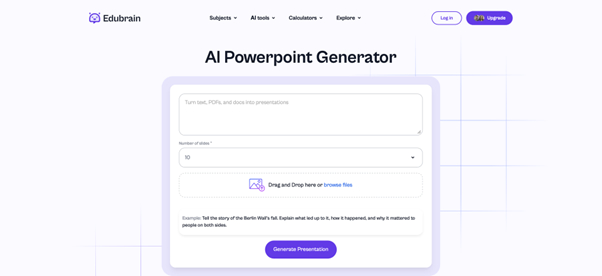
If I had to recommend just one tool from this entire list, it would be the EduBrain AI presentation generator. And the reason is: it produces output that’s actually organized to communicate something.
I tested it by uploading a PDF of research notes on renewable energy policy, the kind of text that would take me an hour to organize manually. What surprised me was that the slide hierarchy made sense. EduBrain had identified the main arguments, grouped supporting points logically, and left room for visuals.
Finally, the export to both PowerPoint (.pptx) and Google Slides formats worked out perfectly.
Pros:
- Generates structured slides from prompts, PDFs, or text.
- Exports to both PowerPoint and Google Slides.
- Understands document hierarchy.
- Bundled with other AI study tools.
Cons:
- Free tier limits slide generations per session.
- Not optimized for enterprise branding needs.
Price: The free tier has some limits on how many slides you can generate per session. The premium plan starts at $3.99 per week.
3. Tome: Best AI-generated Story-Driven Decks

Where most tools think in terms of slides and bullet points, Tome thinks in terms of story arc. For pitch decks or presentations that need to take an audience on a journey, that framing actually matters. The main limitation is that Tome’s export options for PowerPoint are more limited than some competitors. The native format is in fact a shareable web link.
Pros:
- Smooth prompt-to-presentation workflow.
- Narrative-first structure results in cohesive pitch.
- Visual outputs look polished.
- Shareable web link is the primary format, perfect for online presentations.
Cons:
- Limited.pptx export.
- Not suited for data-heavy or chart-driven content.
Price: Free mode is available. Annual premium subscription starts at $16.99/month.
While AI PowerPoint generators excel at creating slide decks, you can further enhance your brainstorming process by using an AI mindmap maker to visually organize your ideas before presenting.
4. Canva AI: Best Presentation Tool for Working Together

I found this Canva’s AI presentation maker most useful when I already had a rough structure in mind and wanted to create slides quickly. The limitation is that Canva’s presentation feature is really part of a broader design suite, not a dedicated AI presentation tool. You can spend a lot of time tweaking design elements that a more specialised tool would handle automatically.
Pro:
- Massive template library with genuine visual variety.
- Magic Design generates layouts and copy quickly from a prompt.
- Exports to PPTX, PDF, and video.
- Built-in brand kits, icons, animations, and collaboration tools.
Cons:
- This is not a presentation dedicated platform.
- Some advanced visuals are locked behind Pro plan.
Price: You can use Canva AI for free. Still, subscription starts at $12.99/month.
5. Gamma: Best for Web-First Outputs

Rather than trying to replicate PowerPoint, Gamma creates presentations that work natively as web documents. These outputs are scrollable, embeddable, interactive. When I put together a presentation on content marketing trends using Gamma, the result looked in a way that a traditional slide deck rarely does.
Pros:
- Modern, web-native format.
- Strong AI content generation with coherent narrative arc.
- Exports to PPTX and PDF available.
- Auto-populates relevant visuals from its own library.
Cons:
- Free plan watermarks outputs and has limited credits
- You may need to refine designs after exporting them to PPTX and PDF formats.
Price: The free version comes with considerable. The monthly paid plan is fixed at $19.99.
6. SlidesAI: Best AI Presentation Maker for Google Slides Users

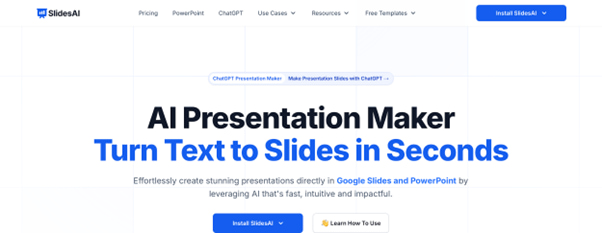
SlidesAI works as an add-on directly inside Google Slides and PowerPoint, which makes it the least disruptive option on this list. You paste or type your text, select a presentation style, and the tool generates slides without you ever leaving your existing environment.
For internal presentations, where workflow integration is more important than design polish, it’s a practical choice.
Pros:
- Works directly inside Google Slides and PowerPoint.
- Fast text-to-slides conversion with minimal friction.
- Presets and styles for educational and business presentations.
- Very affordable annual plan.
Cons:
- Visual design is basic compared to dedicated AI tools.
- Installation is required
Price: You can create PowerPoint presentations for free with SlidesAI. Annual premium subscription starts at $7.06 billed monthly.
Many tools featured in our list of Best AI PowerPoint Generators also include an integrated timeline generator to help you visualize project milestones and historical data effortlessly.
7. Beautiful.ai: Best Platform for Teams Who Present Often

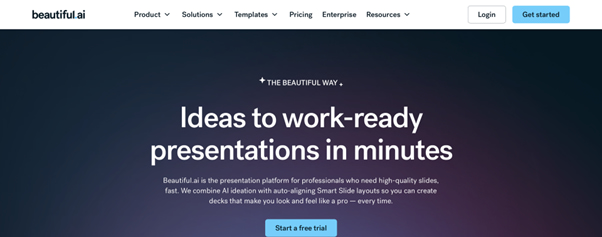
Beautiful.ai makes sure that no matter who on your team creates a slide, it still looks like it belongs in the same deck. The smart template system automatically adjusts layouts when you add or remove content, which sounds like a small thing until you’ve spent time manually realigning slides after a last-minute edit.
I used it to recreate a quarterly business update presentation, and the collaboration tools were noticeably polished. For teams who create recurring presentations and need consistency without constant design oversight, Beautiful.ai is hard to beat.
Pros:
- Smart templates auto-adjust layouts as content changes.
- Strong brand consistency controls across the whole deck.
- Solid real-time collaboration for teams.
- Exports clean, editable PPTX files.
Cons:
- No full free plan: only a 14-day trial.
- Geared toward business users, less suited to casual use.
Price: No actual free plan. The annual Pro subscription is fixed at $12/month.
8. Visme: Best AI Tool for Data-Heavy Presentations

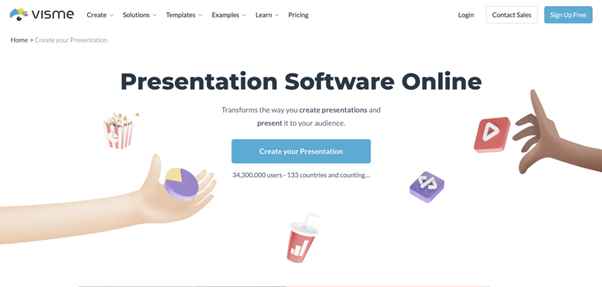
Visme earns its place on this list by being genuinely excellent at handling data. If your presentation involves charts, infographics, or complex visualisations, Visme’s toolset is noticeably more capable than the alternatives. The brand kit features and analytics tools are also well-developed, which makes it a natural fit for marketing teams and analysts.
Pros:
- Top AI tool in data visualization, charts, and infographics.
- Brand kit and analytics tools well-developed for marketing teams.
- Includes templates, icons, and design elements library.
- Exports to PPTX, video, and GIF.
Cons:
- Feature-heavy interface.
- Full PPTX export requires a paid plan.
Price: You can use this tool to create presentations for free. Still, advanced capabilities are reserved to the premium plan ($12/month with the annual subscription).
When AI Presentation Tools Aren’t Enough
I want to be honest about something before I wrap up. There’s a ceiling to what automated tools can do for your brand, your story, and the audience you’re presenting to.
For most everyday presentations, such as internal updates, class assignments, quick pitch outlines, AI-powered presentations are more than enough. But there are situations where the stakes do demand a human designer. An investor pitch ahead of a funding round. A keynote at an industry conference. A major client proposal where first impressions carry real weight. In those cases, the right move is to hand the work to specialists.
Modern AI presentation tools do more than just create slides; many now feature an AI sequence diagram generator to help you visualize complex workflows and technical processes instantly.
PPT Design Services

PPT Design Services is a specialist presentation design agency. Their process is built around collaboration. If you need a quote and timeline, they turn it around in 24 hours, which is faster than most agencies I’ve come across.
Presentation Design Service

Presentation Design Service connects clients with expert designers for a custom presentation. They offer 24-hour quick turnaround for particularly urgent projects. They help you create a presentation that genuinely serves your content.
Final Considerations After Testing All 8 AI Presentation Makers
Students and educators should start with EduBrain to create a properly structured deck in under a minute. Anyone who needs to move fast and is used to PowerPoint should try Decksy before paying more elsewhere. And anyone building something that will represent their organization to an outside audience should at least get a quote from a professional design service.
What these tools do brilliantly is eliminate the part that used to take hours. Now it takes minutes. What problem are you solving? Who’s in the room? What do you want them to feel when the last slide disappears? No generator, however good, answers those questions for you. The tools keep getting better. A year from now, the gap between AI-generated and professionally designed will be narrower. Still, you have to bring something worth saying, i.e., the initial content.
Explore Similar Topics
In 2025, automated assistants can produce emails, blog posts, study notes and technical summaries within seconds. This efficiency is useful,...
AI has quietly become one of the most powerful allies for students, educators, and even professional chemists. Whether you need...