Which AI detectors can you trust with your own writing, or with someone else’s? Fewer than the marketing suggests. But...
Best AI Humanizer Tools for More Natural, Human-Like Writing
Which humanizers keep your meaning, and which ones just shuffle words around? Here’s what official pages, independent research, and user reviews show.
An AI-assisted essay can be accurate and still sound robotic. Same sentence length, same tidy transitions, the same “it’s important to note” every few lines. Teachers notice. So do detectors.
That’s the job of an AI humanizer: rewrite the stiff parts so the text reads like a person wrote it. I wrote this guide for students first, then for bloggers, marketers, and anyone else who edits AI drafts. As a full-time writer, I care less about “beating” a scanner and more about one thing: does the tool keep your argument, facts, and citations intact?
So I went through the official pages of 10 humanizers (pricing, word limits, languages, privacy terms), five published rankings, three academic studies on detection, and each tool’s Trustpilot profile. The goal was simple: a short list you can act on today, with the fine print spelled out.
One thing up front. No humanizer guarantees a “human” result. Turnitin added AI bypasser detection in 2025, aimed squarely at these tools. If you’re a student, read your course’s AI policy before you use any of them.
If you just want the highlights, the quick picks and the comparison table come first.
Table of Content
ToggleQuick Picks and Side-by-Side Comparison
- Best overall and best for students: GetSolved (humanizing plus a built-in detector and plagiarism, grammar, and citation checks)
- Best free option for long texts: Clever (3,000 words per request)
- Best inside a writing suite many students already use: QuillBot
- Best for keeping your own voice and showing your process: Grammarly
| # | Tool | Best for | Free option | Paid from | Languages | Built-in detector |
| 1 | GetSolved | Students; humanizing plus checks in one place | $2 for 7 days (auto-renews) | $19.99/month or $95.88/year | 5+ | Yes |
| 2 | Clever | Long texts at no cost | Free, up to 3,000 words/request, no monthly cap | No paid plan | 3 | Yes, separate free tool |
| 3 | QuillBot | Light edits in a writing suite | Basic mode | About $8.33/month, billed annually | 5 | Yes (“Human score”) |
| 4 | Grammarly | Revising into your own voice | Basic humanizer; free account adds the Humanizer agent | $12/month (Pro) | 6 | Pro only |
| 5 | SuperHumanizer | Formatted documents | Free, 1,200 words/run, no signup | Premium engine, price not listed | Not listed | Premium only |
| 6 | Humanize AI | Quick no-signup fixes | Free, per the homepage | Not listed on homepage | Several, incl. English, Chinese, Arabic | Not stated |
| 7 | Walter Writes | API and Claude use | Lite version, 300 words/pass | $8/month (Starter, billed annually) | Not listed | Yes |
| 8 | GPTHuman | Scores before you submit | 300-word trial | 15/month(8.25/month billed annually) | 50+ | Yes |
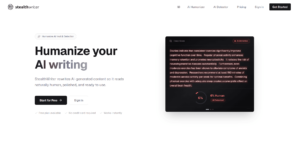
| 9 | StealthWriter | Heavy rewrites | 1,000 words/input, 10 runs/day | $20/month | Not listed | Yes |
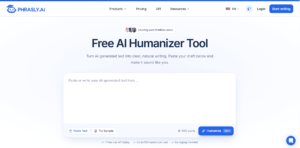
| 10 | Phrasly | Unlimited use on a budget | $2 for 3 days | $10.99/month, billed annually | Not listed | Yes |
Prices and limits checked on official sites in November 2026. Plans change often, so confirm at checkout.
How I Picked and Reviewed These AI Text Humanizer Tools
I didn’t run my own detector tests. Every score in this article comes from a named third party, and I say who.
That matters more than usual here. Three of the top-ranking “best humanizer” lists on Google are published by humanizer vendors that put their own product at #1. I still read them, but I treat their numbers as vendor data.
I judged each tool on six things, with students’ needs first:
- Meaning preservation: diff views, proofreading, and sentence-level alternatives, so arguments and citations come through intact
- Real free limits: per-run caps, not just “free” on the homepage
- Pricing and billing terms: trials, auto-renewal, and refund rules
- Languages and file support
- Privacy: what the company says it stores and for how long
- Honesty about detection: whether the vendor promises things no tool can deliver
My sources: official product, pricing, and FAQ pages; five published rankings; academic research on detection; news coverage of anti-humanizer features; and Trustpilot. Every price, limit, and Trustpilot score was checked in November 2026.
The 10 Best AI Humanizers, Reviewed
They’re ranked by how well each fits common needs, starting with academic writing, and how open each one is about limits, pricing, and data. Not by a single detector score.
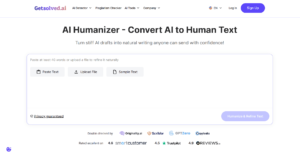
1. GetSolved AI Humanizer: Best All-in-One Text Humanizer for Students, With a Built-In AI Detector

GetSolved is a writing workspace that covers the whole editing cycle, from rewriting an AI draft in a natural voice to checking it for grammar, readability, and plagiarism before you publish. The humanizer is one tool in a larger kit, and that’s the point for students: the checks a paper needs sit in the same account.
The company says it rewrites AI phrasing “for natural flow while leaving your facts, arguments, and citations exactly as you wrote them.” That’s the right promise, and the built-in checks help you verify it.
- ✅ Up to 10,000 words per request, no fixed monthly cap
- ✅ 5+ languages, including English, Spanish, and French
- ✅ Paste text or upload PDF, DOCX, or TXT files
- ✅ Professional, academic, casual, and conversational styles
- ✅ AI Detector, Plagiarism Checker, Grammar Checker, Citation Checker, and Readability Checker in the same account
- ✅ Privacy statement: text “isn’t saved or shared afterward”
💲 7-day access for $2.00, then auto-renews at $39.99 every 30 days. Monthly plan $19.99; annual plan $95.88 (about $7.99/month). Prices from the site’s pricing panel, VAT included, checked in November.
One clarification: the page title says “free,” but you need an account and an access plan to run it. The 10,000-word limit is the standout. Most tools here stop somewhere between 750 and 5,000 words per run, even on paid plans, so theses and long reports go through GetSolved in one pass.
An Anangsha Substack roundup lists it as its “Best AI Detector and Humanizer” pick. On Trustpilot, GetSolved has a 4.3 TrustScore from 449 reviews (checked in November). Reviewers praise the explanations and the range of tools. The most common complaint is the $2 trial rolling into the full plan, so set a reminder before day 7 if you’re only testing it.
Best for students first, then writers and marketers, who want humanizing, detection, and plagiarism and citation checks in one paid workspace, because it handles 10,000-word, multilingual documents and says it stores no text.
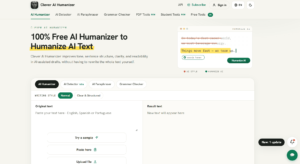
2. Clever AI Humanizer: The Best Free Pick for Long Texts

Clever comes from CleverFiles Inc., a US software company, and it shows up in every Google AI Overview I checked for humanizer searches.
The pitch is generous: no paywall and no fixed monthly word allowance. Its late-June 2026 update removed the old 200,000-word monthly limit, so the “7,000 words a day” figure you’ll still see quoted in search results is out of date.
- ✅ Up to 3,000 words per request, free
- ✅ English, Spanish, and Portuguese
- ✅ “Show changes” view to compare output with your draft
- ✅ File upload and optional sign-in for content history
- ✅ Companion free AI detector, paraphraser, and grammar checker
💲 Free. No paid plan as of November.
The catch, stated on the site itself: free processing is “subject to service availability,” so busy periods can stall a run. The FAQ also says CleverFiles often adds paid premium features after one to two years. Enjoy it, but don’t build a business on it staying free.
The same Anangsha roundup praises that generosity: “no ads or paywalls.” On Trustpilot, Clever has only a handful of reviews so far (November). I also ran into several near-identical pro-Clever threads on unrelated forums, so I ignored forum hype entirely.
Best for students on a zero budget, bloggers, and anyone polishing long drafts for free, because no other tool here offers 3,000 words per run with no paywall.
3. QuillBot: Best for Light Edits Inside a Writing Suite

QuillBot’s humanizer sits next to its paraphraser, grammar checker, and citation tools. The free version does “Basic humanizing” of short texts. Premium adds “Advanced humanizing” with deeper rewrites and no word or usage limit.
- ✅ Standard and Academic modes
- ✅ English, Spanish, French, German, and Portuguese
- ✅ Built-in “Human score,” which QuillBot calls a signal “rather than a verdict”
- ✅ Click any word for alternatives
- ✅ Chrome and Edge extensions, Word add-in, desktop and mobile apps, plus a custom GPT inside ChatGPT
💲 Free Basic mode. Premium is about $8.33/month billed annually, per third-party pricing trackers. [TK: confirm the Premium price and the free humanizer word cap — https://quillbot.com/premium]
QuillBot cites the RAID benchmark for its detector’s accuracy. The FAQ is refreshingly blunt: the humanizer “isn’t built to evade AI detection,” and if you used AI, you should disclose it under your institution’s rules.
editGPT’s roundup found it “great at cleaning up messy phrasing” but “a bit too safe.” On Trustpilot, QuillBot as a whole has 4.8 from 14,644 reviews (November), with complaints mostly about free-tier limits and auto-renewal.
Best for students and writers who already use QuillBot and want a quick, conservative polish, not a deep rewrite.
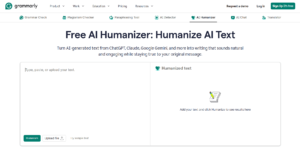
4. Grammarly: Best for Keeping Your Own Voice

Grammarly’s humanizer is the most transparent tool on this list. Its page says outright: “This tool is not intended to bypass AI detectors.”
What it does instead is make AI-assisted text sound like you. A free account adds the Humanizer agent, with four preset voices or a custom voice built from your own writing sample.
- ✅ Free basic humanizing (paste or upload)
- ✅ Custom voice profile from your writing sample
- ✅ English, Spanish, French, German, Portuguese, and Italian
- ✅ Authorship, which shows what came from AI, what came from sources, and what you wrote
- ✅ Works in Google Docs, Microsoft Office, browsers, and desktop and mobile apps
💲 Free plan with 100 AI prompts a month. Pro is $12/month with 2,000 prompts. The AI detector is Pro only.
Authorship is the real differentiator. If a teacher or client questions your draft, you can show how it was written instead of arguing over a score.
On Trustpilot, Grammarly scores 3.0 from 10,491 reviews (November), with complaints about upsells and newer AI features.
Best for professionals and students who need AI-assisted drafts to sound like them and want a record of how the text was written.
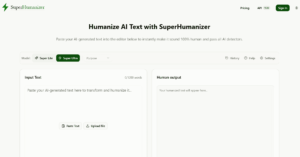
5. SuperHumanizer: Best Free Pick for Formatted Documents

SuperHumanizer has one of the richest free feature sets here. But the site doesn’t disclose who owns or runs it: no company name, and only “United States” on its Trustpilot profile.
- ✅ Free, up to 1,200 words per run, unlimited runs, no signup
- ✅ Super Lite and Super Ultra modes, with seven purposes (General, Academic, Blog, Formal, Informal, Friendly, Engaging)
- ✅ Uploads Word, PDF, ODT, RTF, TXT, and Markdown files
- ✅ Proofread, which compares output with your original and fixes sentences that drifted in meaning
- ✅ Keeps headings, lists, numbers, and names in place
- ✅ Chrome extension (Gmail, LinkedIn) and iOS and Android apps
💲 Free. A Premium Engine exists (the built-in detector needs it), but no price is listed.
The site says history is stored in your browser and is “not shared or sold.” Its homepage also shows a chart comparing its bypass rate with rivals. That’s a company claim, and I found no independent test to back it up. Trustpilot shows zero reviews as of November.
Best for bloggers and students humanizing formatted documents for free on desktop, mobile, or in Gmail, as long as you’re fine using a tool whose owner isn’t named.
6. Humanize AI: Best No-Signup Quick Fix

Humanize AI (humanizeai.pro) is about as low-friction as it gets. No registration, a captcha per run, and a “re-run until you’re happy” loop.
- ✅ No account needed
- ✅ Uploads .txt, .docx, .pdf, and .md files
- ✅ Optional “writing level” for plainer or denser wording
- ✅ Languages including English, Chinese, Russian, Arabic, and Japanese
- ✅ Keeps keywords in place for SEO copy
💲 The homepage says “completely free” with “unlimited access.” Third-party listings describe paid tiers, though, and they don’t agree on the numbers. [TK: confirm whether paid plans exist and their prices and per-run limits — https://www.humanizeai.pro/]
The site also claims it can get past detectors and guarantees “plagiarism-free content.” Treat both as marketing. In GPTHuman’s single-sample test, its output scored 100% human on GPTZero, but one sample is an anecdote, not proof.
On Trustpilot, it has 4.5 from 306 reviews (November). Complaints mention detector flags after humanizing and a short refund window.
Best for a quick, no-account pass on short texts, because it’s the fastest tool here to try. Expect results to vary.
7. Walter Writes AI: Best for API and Claude Workflows

Walter Writes stands out for developers. It offers a native Claude integration (via MCP) and a public humanizer API, plus a detector, paraphraser, and resume rewriter.
- ✅ Free lite version, 300 words per pass, no signup
- ✅ Claude MCP integration and humanizer API
- ✅ Built-in AI detector
💲 Starter $8/month (30,000 words, 750 per request), Pro $13/month (70,000 words, 1,500 per request), Elite $26/month, Teams 99/month.Thosemonthlyratesarebilledannually(96/year for Starter).
Full disclosure on the evidence: Walter Writes publishes its own 10-tool humanizer ranking, and it puts itself first. That’s vendor data. On Trustpilot, it scores 3.3 from 70 reviews, and 55% are 1-star (November). Reviewers praise the support team but complain about changed meaning and refund refusals.
Best for developers and teams who want humanization inside Claude or through an API at a low entry price. Check every output for meaning drift.
8. GPTHuman: Best for Pre-Submission Scores

GPTHuman shows three numbers side by side after each run: a Stealth score, a Flesch-Kincaid readability score, and a similarity score.
- ✅ Stealth, Readability, and Similarity scores
- ✅ Tone modes from High School to PhD
- ✅ Re-humanize button for another pass
- ✅ 50+ languages on all plans
💲 Free 300-word trial. Starter 15/month(8.25/month billed annually, 25,000 words); Plus 25/month(14 annually, 60,000 words); Unlimited 49/month(26 annually).
The pricing page advertises a “bypass AI detectors guarantee” (with an asterisk) and watermark removal. I’d read both as marketing, not features. Like Walter Writes, GPTHuman publishes a ranking that puts its own tool at #1.
Trustpilot shows 3.6 from just 17 reviews (November), with complaints about refunds and low word caps.
Best for users who want readability and similarity numbers before submitting, as long as they ignore the guarantee language.
9. StealthWriter: Best for Heavy Rewrites (With Trade-Offs)

StealthWriter runs its own “Ghost” models and rewrites more aggressively than most. That’s a strength and a weakness.
- ✅ Free plan: 1,000 words per input, 10 humanizations and 10 AI scans per day
- ✅ Ghost 5.2 Mini on the free plan; Pro and Legacy models on paid plans
- ✅ Built-in detector
💲 Starter $20/month, Plus $50, Pro $100, Business $200, Scale $400 (5,000 words per input on paid plans). Yearly billing saves 17%. The pricing page doesn’t list supported languages.
Third-party results show the trade-off clearly: top marks for evasion, bottom marks for writing quality (more on that in the detector section below). In GPTHuman’s single-sample test, its output scored 63% human on GPTZero, though the reviewer liked the writing quality.
On Trustpilot, it has 3.7 from 79 reviews (November), 44% of them 1-star, with complaints about cancellation and changed meaning.
Best for users who want maximum rewriting depth and will fix grammar afterward. Not for polished final copy.
10. Phrasly AI: Best Budget Paid Plan

Phrasly is the cheapest way to get unlimited humanizations on this list, as long as you commit for a year.
- ✅ Unlimited plan: unlimited humanizations, 5,000 words per process
- ✅ 100,000 plagiarism-check words a month
- ✅ Content generator (up to 50,000 words a month)
- ✅ Free AI detector
💲 3-Day Access $2.00 (800 words per process), then the Unlimited plan at $10.99/month, billed annually.
The free tier is murky. In Walter Writes’ 10-tool comparison, the real free cap was 300 words even though the interface showed 800.
Trustpilot gives Phrasly 4.7 from 3,650 reviews (November). But several 1-star reviews describe large charges after the short trial and refused refunds.
Best for heavy users who want unlimited humanizing for about $11 a month, as long as they cancel the $2 trial in time if they don’t want the plan.
Also Considered
Undetectable AI has a multi-detector dashboard but mostly vendor-run evidence. BypassGPT and HIX Bypass offer tiny free caps. Humalingo, ZeroGPT’s humanizer, and aihumanize.io lack independent coverage. Edubrain’s humanizer sits inside a homework platform, so it fits only if you already study there.
What Is an AI Humanizer, and How Is It Different From an AI Rewriter?
A humanizer takes AI-generated text from ChatGPT, Claude, or Gemini and rewrites it so it reads more naturally. It’s a stylist, not a second writer.
It works on the patterns that make machine text feel flat: a repetitive sentence structure, uniform sentence length, stock transitions, and predictable word choice. It varies rhythm and phrasing while (ideally) keeping the facts intact.
Two terms come up a lot. Perplexity is how predictable each word is; machine-written prose tends to score low. Burstiness is how much sentence length and complexity vary; humans vary more. Stanford researchers found that detectors relying on these signals often misread simpler human writing as AI.
Clever’s FAQ sums up the difference neatly: “humanizing is polishing, paraphrasing is retelling, rewriting is rebuilding.”
| Tool type | Goal | How much changes | Typical use |
| Humanizer | Natural tone and rhythm | Phrasing and flow | AI-assisted drafts |
| Paraphraser | Same idea, new wording | Words and sentences | Summaries, notes |
| AI rewriter | A new version of the text | Structure and expression | Repurposing content |
Can AI Humanizers Bypass AI Detectors Like Turnitin and GPTZero?
Short answer: sometimes, inconsistently, and no tool can promise it.
The research shows detectors are easy to fool, at least for now. In Krishna et al. (2023), a paraphrasing model dropped DetectGPT’s detection accuracy from 70.3% to 4.6%, at a fixed 1% false positive rate. Perkins et al. (2024) tested six major detectors on 805 samples: accuracy was 39.5% to start and fell to 17.4% on manipulated text.
But detectors fight back. Turnitin’s bypasser check works on English text only and, per PlagiarismToday, still needs outside testing. Detector vendor Pangram reported in January 2025 that GPTZero caught 95.6% of plain AI text but only 34.53% of humanized text, while Pangram’s retrained model caught 93.66% (vendor data).
Early checks are mixed. One Northumbria University academic saw one humanizer’s score jump from 0% to 72% while another stayed at 0%. So if your goal is to bypass Turnitin specifically, you’re betting against a company that now retrains its model to catch these tools.
False positives cut the other way. The same Stanford study found detectors flagged 61.22% of TOEFL essays by non-native English writers as AI. Short texts are tricky too: QuillBot’s FAQ says a perfect human score “isn’t always meaningful or possible, especially for shorter texts.”
Then there’s quality. In Walter Writes’ vendor-run test, StealthWriter scored highest on evasion (96.2%) but lowest on quality (40%). Strong on one, weak on the other. And on Reddit’s AI-writing forums, a common complaint is that after recent detector updates, almost nothing works anymore.
My take: treat a humanizer as an editing aid. Grammarly and QuillBot both say theirs aren’t meant to evade detection. Check your school’s or employer’s AI policy, and disclose AI use where it’s required.
Which Tool Fits Your Use Case? Free vs Paid Picks
The easiest way to choose is to match the tool to the job, not to chase a single “best.” Students come first here, then everyone else.
- Academic essays and student papers: GetSolved (citation and plagiarism checks, plus an academic style) or Grammarly (voice plus Authorship), always within your course’s rules. Clever is the free fallback for long drafts
- Blogs and SEO content: Clever for long free runs, or SuperHumanizer if you need headings and lists kept intact
- Business email and reports: QuillBot or Grammarly for light, safe edits
- Multilingual work: GPTHuman (50+ languages), or GetSolved (5+) if you also want the checks
- Developers: Walter Writes for the API and Claude integration
- High volume on a budget: Phrasly’s annual plan
Free vs paid. A free tier is enough for occasional short pieces. Paid plans usually add longer per-run limits, deeper rewrite modes, and a detector.
📌 Watch the $2 and €2 trials. Both GetSolved and Phrasly have Trustpilot complaints about trials auto-renewing into full plans. Read the renewal line before you pay, and set a calendar reminder.
How to Humanize AI Text Without Losing Your Meaning
A humanizer is one step in a writing workflow, not the whole thing. Here’s the order I’d follow:
- Start from your own outline. The ideas and structure should be yours before any tool touches them.
- Humanize one section at a time. Stay inside the per-run limit so the tool doesn’t truncate or rush.
- Compare with your draft. Use Clever’s “Show changes,” SuperHumanizer’s Proofread, or a side-by-side read to protect the original meaning.
- Fix facts by hand. Check names, numbers, dates, and citations. Aggressive rewrites change them more often than you’d think.
- Add yourself. Your examples, your opinions, your phrasing. No tool can supply those.
- Disclose where required. Grammarly’s Authorship report is one way to show your process.
This is the step most people skip: step 4. Don’t.
Frequently Asked Questions
What Is the Best AI Humanizer in 2026?
My top pick is GetSolved, especially for students: it humanizes and runs plagiarism, citation, and AI checks in one paid workspace. Clever is the best free option, and Grammarly is best for keeping your own voice.
Can Originality.ai and Other AI Content Detectors Spot Humanized Text?
Often, and more so over time. Turnitin now flags likely humanizer edits in English, and Pangram’s vendor data shows retrained models catching most humanized text. Assume detection tools will keep improving.
Is There a Truly Free AI Humanizer?
Yes. Clever handles up to 3,000 words per request with no monthly cap, and SuperHumanizer allows 1,200 words per run with no signup. Both say free processing can depend on demand or may change.
Is Using a Humanizer Cheating?
It depends on your institution’s or employer’s policy, not the tool. Using one to improve clarity in your own work is usually different from passing off AI writing as yours. QuillBot and Grammarly both advise disclosing AI use.
Do Humanizers Change the Meaning of My Text?
They can. Meaning changes are a recurring Trustpilot complaint for Walter Writes and StealthWriter. Use tools with diff or proofread views, and reread every output.
Which Humanizers Support Languages Other Than English?
Grammarly lists 6 languages, GetSolved 5+, QuillBot 5, and Clever 3. GPTHuman claims 50+. Note that Turnitin’s bypasser check works on English text only.
Final Verdict: The Best Humanizer Overall Depends on Your Job
There’s no single winner for every job, and any article that names one without caveats is selling something.
If you’re a student, or you want humanizing, detection, and plagiarism and citation checks in one place, GetSolved earns its #1 spot with 10,000-word runs and 5+ languages. Just watch the trial renewal. If you want free and long, pick Clever. If your priority is sounding like yourself and showing a teacher or client your process, go with Grammarly.
Whichever you choose, edit the output, check the facts, and follow the rules that apply to you, starting with your school’s AI policy. The tool polishes. You’re still the writer.
Explore Similar Topics
Students nowadays have become very familiar with generative AI and how to make use of it for their school assignments....
Artificial intelligence is no longer a novelty for students. It’s part of their routine. It shows up when an essay...