
In the past couple of years, AI tools like Edubrain have become essential for students, researchers, content creators, and professionals...

Make AI Writing Sound Like a Human: How to Humanize AI Content
By now, most of us are familiar with the way any AI writes texts. Sentences that are all of approximately the same length. Words that no human being would ever say.
Here’s the thing, though. AI doesn’t need to sound robotic. By applying the correct strategy, you can use these tools to create content that reads naturally, engages readers, and passes AI detector tests.
In this guide, we’ll take you through it all: from how to craft more effective prompts to what phrases trigger AI detectors, and what tools specifically can be used to make it sound more human. It can be useful if you are a student, a content creator, or someone who uses AI to accelerate their workflow.
Table of Content
ToggleUnderstanding How AI Writing Works

The current AI writing systems are based on large language models, namely systems that are trained on massive amounts of user-generated content (UGC). When you request one of these models to write something, it predicts the most statistically probable next word according to patterns in its training data.
It is exactly this statistical method that causes AI text to overuse some phrases and that takes away personality traits that make human writing memorable.
The positive thing is that you can actively fight this statistical predictability by feeding the model better prompts, setting clearer expectations, and using the right tools to analyze the output. The result? Content that reads like a human being wrote it, because you directed it to.
Crafting Effective AI Prompts
A weak prompt gives you a weak output. Conversely, a particular, well-organized prompt produces something you could actually use. Here’s a direct comparison:
“Write an article on productivity” vs “Write a 900-word blog post about remote workers on morning routines. Use a conversational tone. Include a personal anecdote, and avoid using a lot of bullet points.”
Powerful prompts don’t only tell the model what to write, but also how to do it. They define tone, length, audience, structure, and voice.
Some other prompt tips that make all the difference:
- Specify the reader. For instance, “Write to a first-year college student” or “Write to a busy marketing manager.”
- Give a persona. “Write as a skeptical but helpful financial advisor” pushes the model away from generic phrasing.
- Mention what to avoid. The hint “Avoid passive voice” gives the model a helpful constraint.
Include an example. One of the best techniques is to enclose a writing sample and say, “Match this tone.” Another option is to tell the AI to ask as many questions as possible to better understand what you are aiming for: after a brief Q&A session, it will know much more precisely what your overall goal is.
Emulating Natural Speech: Humanizing AI Content
Human writing ideally sounds like an everyday conversation. On the other hand, AI tends to sound like a formal essay even when you ask for something casual.
The fix is simpler than you’d expect: explicitly ask AI for a conversational tone. Contractions such as “you’re” or “it’s” read easily. Ask the model to use them freely.
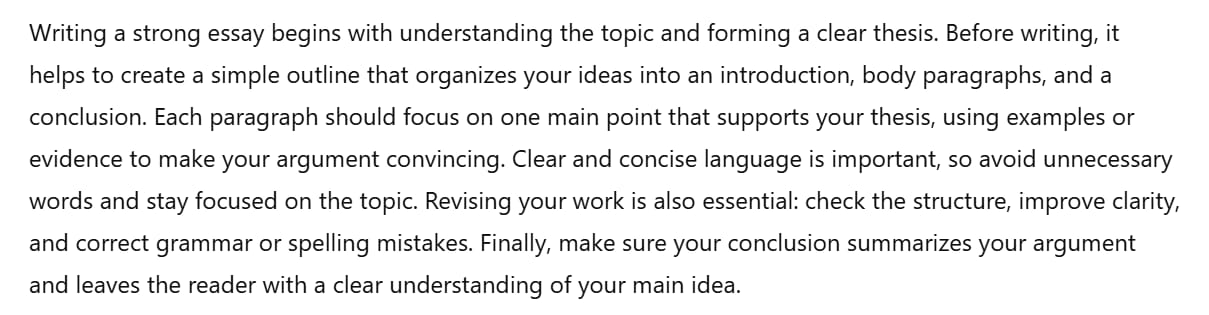
Look at the difference in feel between two prompts about how to write a good text. The AI default reads:

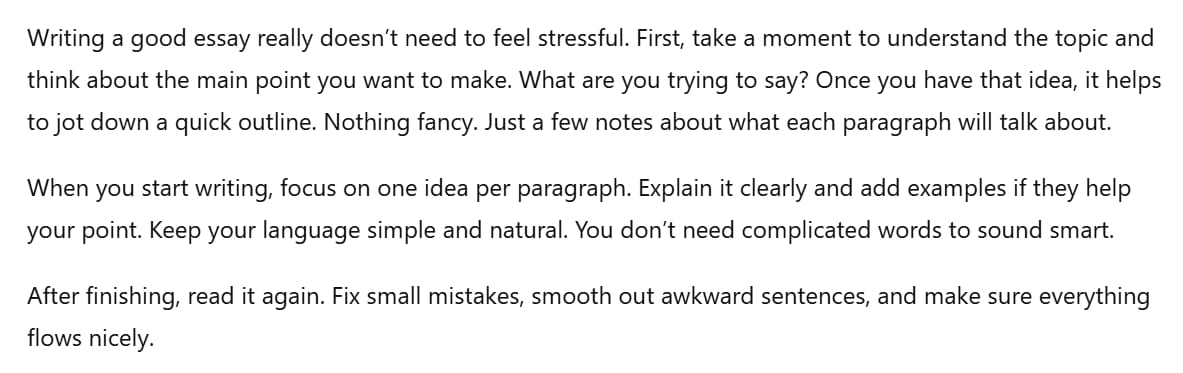
Here’s what happens if we ask AI to use a more conversational tone:

Clearly, the second text feels much more human and consequently engaging than the first.
Stay Informative and Concise to Make Your Writing Feel Less Robotic
It’s not just about conversational style: the second text we presented above still reads as AI. The thing here is that real human writing cuts to the point, while AI-written texts don’t. It trusts the reader to follow along without being hand-held through every transition. When editing AI output, those are usually the first things to cut.
Practically, this means:
- Delete the first and last sentence of any AI-generated paragraph and see if it still makes sense. It often does.
- Remove phrases like “it’s worth noting,” “needless to say,” and “as previously mentioned.” They add length but not value.
- If a sentence only exists to set up the next sentence, cut it and rewrite the next sentence to stand alone.
- Remove phrases that feel redundant and repeat a concept already expressed. In our previous example, a sentence of this kind is “You don’t need complicated words to sound smart,” which simply restates the same idea of “Keep your language simple and natural” using different words.
When you’re prompting, you can build conciseness in from the start. Ask the model to “cut any sentence that doesn’t add new information” or to “write as if every word costs money.” These constraints push the output toward tighter, more readable prose.
Steering Clear of AI-Flagged Terms: Use Simple Terms
Both AI checkers and experienced human readers have learned to spot certain patterns and phrases that are statistically common in AI output.
Here are some red flags:
| AI-Flagged Phrase | More Human Alternative |
| It is important to note that… | Worth knowing: / Here’s the thing: |
| Delve into / leverage / utilize | Look at / use / take advantage of |
| Navigating the complexities of… | Dealing with… |
Where AI defaults to formal, abstract, slightly corporate phrasing, human writers reach for concrete, direct, specific language instead. When you spot overly polished phrasing that sounds like it belongs in a company press release, that’s usually the AI speaking, and it needs to go.
Polish the Details: Metaphors, Emojis, and the Dash Problem
Fixing word choice and sentence rhythm gets you most of the way there. But there are a few smaller aspects that may undermine otherwise good writing.
Odd Metaphors
AI writing tools often reach for metaphors that don’t quite fit. If you find one in your output, ask whether it actually makes the idea easier to understand or not. If the answer is “not really,” cut it and say the thing plainly. One well-chosen analogy per piece is plenty.
Emojis and Hashtags
Emojis and hashtags belong on social media. In a blog post or article, they read as filler or, worse, as a signal that the writing isn’t confident enough to stand on its own. These models sometimes drop them unprompted, especially if your training data included social content.
The Em Dash Problem
This one is specific and important: AI writing is saturated with em dashes. They show up constantly to add drama or create a pause mid-sentence. The issue it’s that AI uses them so frequently that they’ve become a fingerprint. Which is pretty unfortunate for those who used them regularly.
The solution is to restructure the sentence instead. Most of the time, a colon or a period does the job better.
Utilizing Fresh Datasets and Examples
One of the best ways to make something written by an AI feel human is to support claims with real numbers, real events, or anecdotes.
ChatGPT can’t pull in last week’s statistics or this month’s research. But you can. When you include fresh, specific data in your prompt or editing process, the output immediately appears more credible.
Some practical sources worth knowing:
- Statista and Pew Research for up-to-date statistics.
- Google Scholar for recent academic findings.
- Industry newsletters and blogs for niche, current examples.
- Reddit threads and forums for genuine user sentiment.
Beyond data, personal anecdotes can shift the entire feel of a piece. You can add a story that happened to you when editing the output, or include the rough outline in your prompt. Even a single paragraph of genuine personal experience makes all the difference.
Make Every Tip Actionable, Not Just Informative
One of the subtler signs of AI-generated content is that it tells you what to think without telling you what to do. Human writers who know their subject give you the next step. They make advice concrete enough to act on immediately.
When you’re prompting, you can ask the model to “include one concrete action the reader can take” for each point it makes.
Write Like a Human by Varying Sentence Structure
AI detectors don’t just look at word choice; they also look at rhythm. Specifically, they look at how similar consecutive sentences are in length and structure. Human writers naturally vary their rhythm, while AI doesn’t.
When editing an output, read it aloud. You’ll immediately notice if every sentence follows the same subject-verb-object structure. How can you add some variation to this kind of structure? You can break up clusters of same-length sentences. You can also combine a short, punchy opener with a longer explanatory sentence and a direct call to action.
Using Free Tools: AI Detectors and AI Humanizers
You’ve prompted well, edited for tone, and varied the sentence structure. You want an objective read on how the writing comes across now. That’s where AI checkers come in particularly handy.
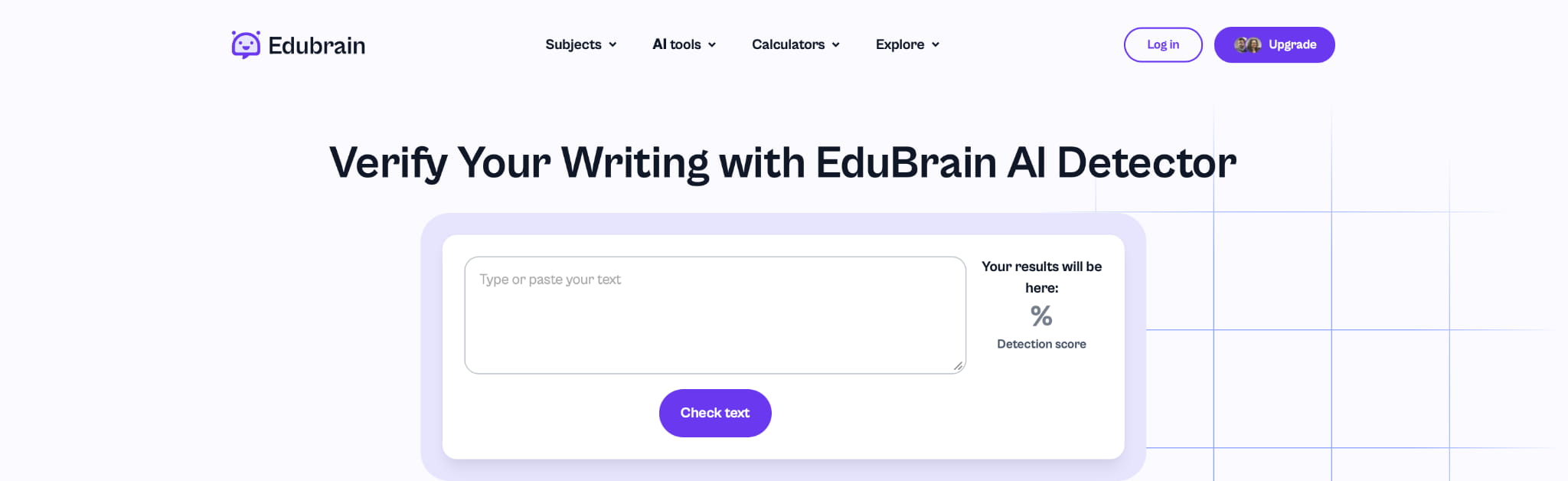
AI detectors such as our tool here at Edubrain, as well as ZeroGPT and Copyleaks, can analyze your text and flag sections that read as AI-generated. In doing this, it gives you a percentage score highlighting specific passages that need some extra work.

Here’s how you can use such tools to your advantage:
- Run your text through the detector to see which sections score highest for AI presence.
- Go back to those sections and ask: Is it the phrasing? The sentence length? A specific clichéd expression?
- Rewrite those sections using more specific language, varied rhythm, and a conversational register.
- Run the text again and compare the new score.
If you want to speed up the revision process, EduBrain also has a free AI humanizer that can rewrite flagged sections for you. This tool is especially useful when you’re working with longer pieces or under a deadline.
However, don’t let the detector score become the only goal. Use it to identify problem areas, while making sure you always apply your own editorial judgment to fix them.
The Bottom Line
Make the most of prompts, develop an eye for what sounds off, and resist the temptation to publish whatever the model hands you first. Humanizing AI content means producing writing that respects the reader’s time and communicates clearly what it needs to say.
AI writing is only going to get better. But the writers who’ll get the most out of it are the ones who treat it as a collaborator, not a shortcut. Those are the ones who apply their judgment and know what good writing actually sounds like.
While learning how to make AI writing sound like a human and how to humanize AI content, you can also use a pie chart generator to visually represent your data and make your reports even more engaging.
Explore Similar Topics
In 2025, automated assistants can produce emails, blog posts, study notes and technical summaries within seconds. This efficiency is useful,...
If you turn to AI to speed up writing as regularly as I do, you’ve probably wondered which AI paraphrase...