Students don’t need one perfect app. They need a setup that can record what they learn in class, clean it...

How to Make Flashcards? Use Best Flashcard Maker to Generate Digital Flashcards in Seconds
Digital learning tools are simple and highly effective. There is a question on one side, and the other has the answer. This technique helps to boost your retention by encouraging you to remember and revisit information regularly. It is a straightforward way to enhance memory using active recall and spaced repetition.
An AI-powered tool is completely changing the game. It helps you make flashcards faster and more suited to your specific needs. This article will show you how to improve your study habits and provide practical tips to get started effectively.
Table of Content
ToggleUpload and Transform Your Language Textbook
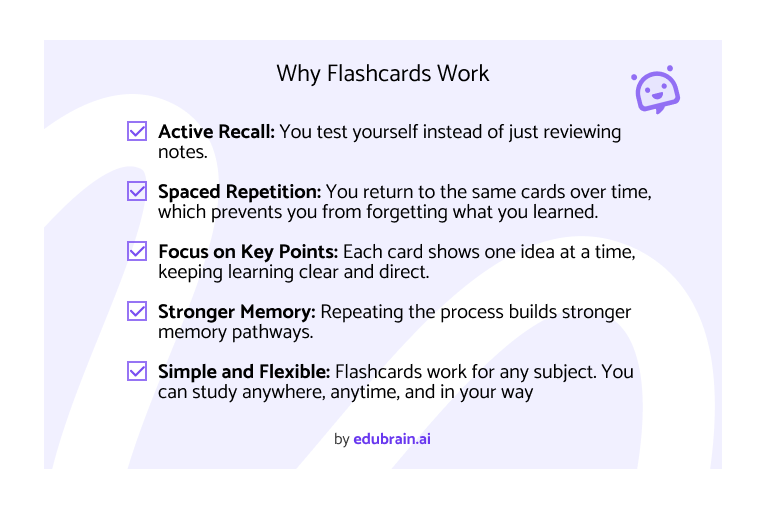
The main idea of a card is active recall. You pull information from memory instead of relying on passive reading. This helps make your memory stronger each time you review a single idea. Digital flashcards also leverage flashcards with spaced repetition, a system that reviews key terms at regular intervals, helping to secure them into long term memory. Here are the key benefits of using them to help you learn:
- Customization: They can be adapted to fit different learning styles and subjects.
- Shuffling: Mixing them up allows a learner to engage in a non-linear fashion
- Adaptability: Effective for individual study sessions and group discussions.
- Convenience: Perfect for quick review sessions anywhere, anytime.
- Proven Effectiveness: Known for improving how you memorize facts, deepening comprehension, and boosting confidence before an exam.
You can easily use flashcards for a new language, adding a visual hint or an auditory cue. They break big topics into small parts without overcomplicating the material.
App Features to Enhance Interactive Learning
AI is revolutionizing the way we work. With the AI flashcard generator, what used to be a slow and tedious process is now quick. For example, if you are studying biology, instead of manually reviewing your textbook, using AI can scan your chapters and instantly pick out the key concepts.
An AI tool turns your notes into interactive flashcards by automatically generating question-and-answer pairs. You can also modify these to fit the way you learn best. The tool adjusts to match your learning speed in practice mode.
Integrating with other educational tools on a learning platform streamlines your process. You can use a free flashcard integration to focus on learning instead of preparing.
How Students Use Flashcards at Different Educational Levels
Flashcards are a great study tool for students of all ages. They help with memory and make learning more engaging for most students. Here are some tips on how students at different educational stages can use it effectively:
- Elementary Students: Young learners use these tools for simple math, such as addition and subtraction, and for memorizing state capitals or important animal facts.
- Middle and High School Students: As students grow, they use flashcards for more complex subjects. History students might use them to remember key events and dates, while science students could use them to learn concepts like the periodic table or human anatomy.
- University Students: Flashcards are crucial at the university level, especially in demanding fields like medicine or law. Medical students use them to memorize details about diseases and treatments, and law students use them to keep track of essential cases and legal definitions.
Flashcards suit different learning styles. Visual learners can use colors or small drawings to connect with the content. Auditory learners may find it helpful to read out loud. Kinesthetic learners often remember more by creating the cards themselves, using the act of writing to lock in the information. Students study in different ways, and flashcards make it easy to adapt. They break big topics into small parts and help you focus on key points without overcomplicating.

Learn How to Create Flashcards Using AI Tools
Learn how to create study materials in minutes. You do not need to write each card by hand or guess what to include. You just input your material, and the system builds them for you. Below is a step-by-step guide to help you create your flashcards.
Step 1: Open the Tool
Go to the website and launch the flashcard generator or the study app.. You don’t need to install anything or create an account to begin. For example, you can use the EduBrain tool to start right away.
Step 2: Add Your Content
Upload your content, like a PDF, or paste your notes.Paste your notes, textbook sections, or summaries into the input box. Keep the text short and focused. For example, choose one section at a time instead of pasting an entire chapter. The tool works best with clear, direct information. If your content is too long or scattered, the results may not be accurate.
Step 3: Pick the Flashcard Type
Decide how you want to make your flashcards look (e.g., true/false or Q&A). You can decide basic question-and-answer pairs, true or false cards, fill-in-the-blank, or multiple-choice. Think about what fits your topic best. Facts and definitions work well in Q&A format. Dates, names, or quick facts may suit true or false.
Step 4: Write a Clear Prompt
The AI needs clear input. Write a clear prompt. Instead of saying “Make flashcards about biology,” try this:
“Create 10 flashcards for high school biology students about cell structure. Use simple language and question-answer format.”
This gives the AI better direction, and the result is more accurate and useful.
Step 5: Review the Flashcards
Preview and refine. After the tool generates your flashcards, read through them. Make sure the questions are clear, definition is accurate, and the answers are correct. Adjust the input or prompt and try again if something doesn’t make sense.
Step 6: Save or Copy the Cards
Save, download, or share flashcards directly into Quizlet or Anki. Some users also print them out for offline use.
The AI might give you random or confusing flashcards if your prompt is too short or unclear. A good prompt tells the AI what topic you want, who the flashcards are for, and how they should highlight how they look. Here’s a table to help:
| Bad Prompt | Good Prompt |
| Make flashcards about history | Generate 10 Q&A pairs about World War I for high school students. |
| Biology terms | Make a deck with cell structure terms. Keep the answers short. |
| Write flashcards | Make flashcards from Chapter 3 of “To Kill a Mockingbird.” Use simple language. |
| Vocabulary | Make English–Spanish flashcards with travel words. Show word + translation. |
| Make science cards | Make 5 flashcards about Newton’s Laws for middle school. Use one short sentence per answer. |
Many students paste a few paragraphs at a time. This keeps the output strictly focused. You can also ask the tool to explain things in a certain way.
Edit and Get Feedback on the Platform
You do not have to keep your materials basic. You can edit them to match exactly how you like to learn. One way is to add your own notes or examples. You can also add a digital image. Some platforms track your statistics and give feedback to remind you when to review. Harder ones come up more often, while easier ones are spaced out. You can utilize methods like active recall by exporting your sets into an optimized ecosystem.
You can also add stock images as pictures. This is helpful for things like maps in geography, parts of the body in biology, or objects in a language. Some apps also remind you when to review your cards. Harder ones come up more often. Easier ones show up less. This is called spaced repetition, and it helps you remember better over time. You can use this by moving your flashcards into apps like Anki or Quizlet.
Moreover, you can sort your flashcards into groups, by topic, subject, or class. Some people use them with their study plans or school timetables. This keeps things organized and easier to manage. These small extras make a big difference. They help you stay on track and get more from each study session.
Unlimited Strategies to Master Any Concept
Some topics take more time to understand. When that happens, extra support from AI tools can help. An AI helper breaks down hard material and gives a template for clear answers, providing an unlimited supply of practice questions to master. Try these tips:
- Keep study time short – 10 to 15 minutes daily is enough to stay consistent without getting overwhelmed.
- Say answers out loud – Speaking the answer helps your brain stay active and makes it easier to understand.
- Put tough cards aside – Separate the ones you miss and review them more often than you already know.
- Change the order often – Avoid going through the same sequence every time, so you train your memory and not just your pattern recognition.
- Use small sets – Focus on 10 to 15 cards at a time instead of trying to learn everything in one go.
- Turn class notes into cards — After each lesson, select the most critical points and turn them into simple Q&A cards.
- Check yourself before tests – Use flashcards as a quick review tool to find weak spots and review them again the next day before an exam.
AI helps save time and keeps sessions strictly focused. It identifies key points and can help you make flashcards using advanced algorithms. Trying to create flashcards with AI reduces extra work and provides a solid starting point. A small change in your strategy, generating flashcards in seconds rather than hours, can help you focus better, progress faster, and feel significantly less stressed.
Why AI Flashcards Make Study Easier
AI helps save time and keeps study sessions focused. Instead of writing cards by hand, turn notes or chapters into clear question-and-answer cards in a few simple steps. This method simplifies study time and allows more focus on learning.
AI identifies key points in any topic. With a clear prompt, the tool creates flashcards tailored to the subject and level. Regular review with short sessions strengthens memory and improves understanding. Trying the AI flashcard maker makes studying more effective. It reduces extra work and provides a clear starting point, making it an excellent tool for quiz preparation. A small change in how flashcards are created can help to highlight better focus, faster progress, and less stress.
Explore Similar Topics
Many students say math is the subject they fear the most. Not because they never understood numbers, but because at...
Today’s students face a demanding academic world. The right tools can dramatically boost their success, helping them study smarter, not...