

ACM Citation Generator – Professional ACM Reference Format Citations Quickly
Are you sure you you want to delete all the citations in this list?
Build ACM citations without last-minute fixes

Start from a DOI or URL
Paste a DOI, a stable URL, or an ISBN. Better inputs reduce near-match pulls and cleanup.
Keep brackets, numbers, and names consistent
ACM citation style depends on a match between in-text cites and the reference list. If the year, author order, or pages differ, the citation points to the wrong entry.
Copy a reference entry that reads like ACM
Generate the entry, then scan the fields that tools most often miss: full author names vs. initials, venue name, page numbers or article number, and the DOI link. Fix once, copy once.
What an ACM citation generator does in the ACM format
ACM publications use a specific reference style (often called
ACM Reference Format
) plus bracketed in-text citations. An ACM citation generator turns source details into that structure—its order, punctuation, and the “shape” of the entry.
Two checks still stay on you. Use the version you read—PDF, preprint, or a web page that updates. After that, align the fields with your course, lab, or venue template. Small differences exist across journals and conference templates.
ACM style can vary by template, especially for proceedings vs journals.
If your ACM style guide uses full names, keep them; if it uses initials, use them everywhere.
Where ACM citations usually go wrong
Common slip-ups: names flip between full and initials, proceedings details vanish, page ranges drop, or the DOI gets missed. Those issues look minor until you have 25+ references.
How ACM citations work inside a paper
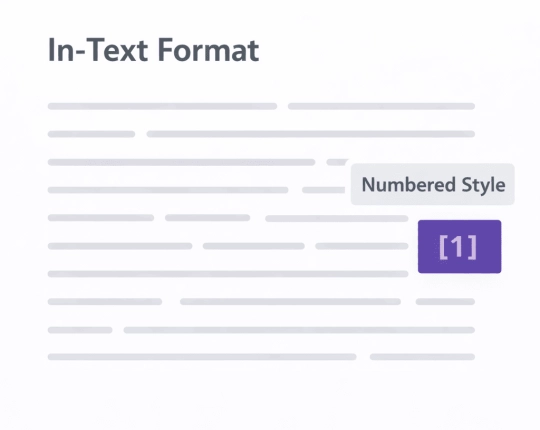
ACM templates often use bracketed numbers: [1], [2], or [1, 2]. With a narrative mention, the bracket may switch to the year (Author et al. [1999]). That bracket still has to land on the right reference entry.
People miss the same fields: conference acronyms and place/date, book editions, and article numbers or total pages for some journals. ACM also tends to prefer fuller author names in the reference list, so double-check what your template expects.
Need a quick self-check before copy?
ACM format field check
Pick one citation format and keep it steady across the draft (including parenthetical citations).
- Check the author surname spelling against the PDF.
- Keep the author surname order consistent across the paper.
- Confirm the year published and the publication title.
- Add pages, an eLocator, or total pages (follow your template).
- For web sources, add publication date or a retrieval/access date when required.
- When citing sources across sections, keep one bibliography.
- If you cite the same work again, reuse the same in-text marker.
Quick steps in EduBrain
- Set the style to ACM.
- Choose the source type.
- Have a DOI/URL/ISBN? Use Auto. Missing fields? Switch to Manual.
- Review the output fields, then copy them into your reference list.
- Add the in-text citation where the source supports your claim.
Cite research papers the same way each time: one style, one set of rules, one bibliography.
Manual entry matters more than most people think. Conference PDFs, older books, and technical reports often have messy metadata. Fixing those fields early saves time on later edits.
Cite common sources in ACM Reference Format
Use the same ACM style across research papers, slides, and reports. Don’t mix citation styles.
Journal articles
DOI tends to give the cleanest pull. After output, verify full author names, journal title, volume/issue, pages (or article number), and the DOI link.
Conference proceedings
Proceedings entries often need conference name/acronym, place/date, publisher, and pages. A “short” output usually means a missing field.
Books and chapters
Books need a publisher and place details; chapters also need editor names and page numbers. Edited volumes often cause mix-ups, so check the title page.
Websites and online docs
Web pages change. Use an author (person or organization), page title, URL, and an access date if required.

Common ACM citation mistakes and quick fixes
- Wrong item pulled by title search→ Switch to DOI/URL/ISBN, or confirm the venue and year by hand.
- Author names inconsistent→ Pick one form and stick to it (and match the PDF).
- Conference details missing→ Add conference name, location, dates, and pages if your template requires them.
- DOI missing→ Add it; ACM reference entries often include DOI links.
- Web source has no retrieval date→ Add one when the guide asks for it (especially for pages that update).
- Wrong year published → Use the year published on the PDF you cited, not a repost date.
- Publication title missing → Add the full publication title when the tool pulls a short venue name.
Explore More Citation Styles



 Unlimited AI homework help

 Diagram Generator, Flashcard Maker, Notes Generator, Research Assistant, Answer Generator, AI Homework Helper & AI Detector