

APA Citation Generator For Fast References
Are you sure you you want to delete all the citations in this list?
An APA Citation Generator That Stays Consistent

One Reference Entry That Matches One In-text Citation
APA uses an author–date system. In the text, a short citation points readers to one full entry in the References list. Edubrain keeps both parts tied to the same source, so readers get accurate APA citations and find the source fast.
Two In-Text Styles, One Choice for The Whole Paper
APA uses two in-text forms: parenthetical citations and narrative. Edubrain supports both. Pick the form that suits the sentence; then keep punctuation and author names the same across the paper.
Clear Fields When Author Or Date Stays Absent
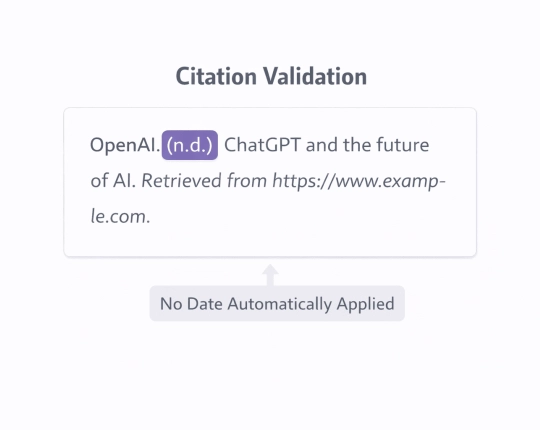
Sources without a named author or a clear publication date can still be cited without guesswork. Standard fallbacks like the use of a title in place of an author or “n.d.” for missing dates keep the entry complete and consistent. For agencies and institutions, corporate authors are handled cleanly, so the reference still fits the overall list.
Export that Keeps The List Tidy
This APA generator offers export options for several formats. That helps once the reference list grows beyond a handful of sources.
How APA Citations Look Inside A Real Paper
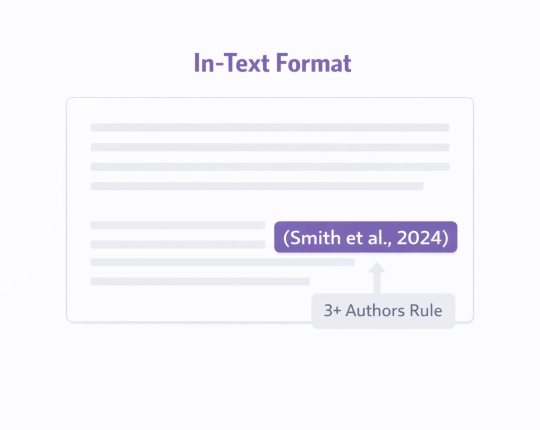
APA works with two linked parts: the short note in the text and the full entry in the References list. Most of the time, the in-text note shows the author surname plus the year. Yet when you point to one exact spot, add a locator as well, such as a page number or a paragraph number.
The Author–Date Rule Shapes The Whole Paper
Unlike numeric systems, APA keeps author names visible in the text. That helps readers see whose work supports each claim. The trade-off: the writer needs consistent author spellings and dates, since one mismatch breaks the link between text and reference list.
Reference Lists Follow Alphabetical Order
APA reference lists commonly use alphabetical order by author surname. When no author exists, the entry can start with the title, and that title then guides the order. Some styles label this section as “Works Cited” or a “bibliography”, yet APA uses “References” as the usual label for the list.
DOI And URL Rules Matter for Online Sources
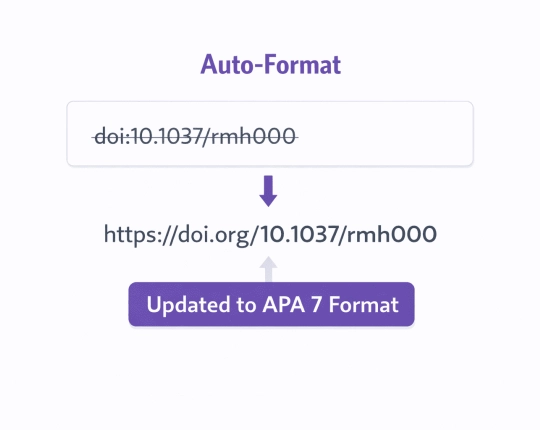
When a DOI exists, it is usually preferred over a URL because it stays stable. APA DOIs often appear as a link that starts with “https://doi.org/”. If no DOI exists, the URL can fill the source element.
APA Citations for Common Source Types
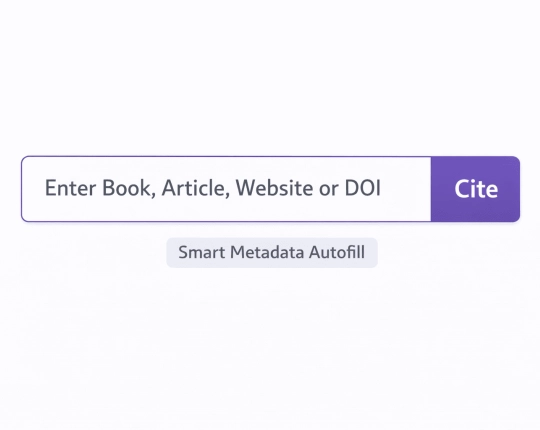
An APA format citation generator covers many source types. Even so, the same four parts show up each time: author, date, title, and source. That is why the input fields stick to that same set.
- Journal articles. Use a DOI when you have it, since it points to clean journal data. Then review author order, year, journal title, volume, issue, page range, and the DOI link.
- Books and book chapters. An ISBN can help, yet edited books still cause mix-ups. For a chapter, check the chapter author, chapter title, editor, book title, and page range. Also, for edited collections, add editor credit along with the author of the section you cite.
- Web pages. Web pages often miss standard details. So check the author name (person or organisation), the date, the page title, the site name when it fits, and the URL. If no author appears, place the title in the author spot for both the in-text citation and the reference list.
- Reports and policy papers. Reports often come from agencies or institutions, so the organisation can stand as the author. After that, check the report title, the year, the publisher name when required, plus a URL or a DOI.
- Videos and other media. Dates and titles vary a lot on media pages. As a result, confirm channel or account name, date, title, platform, and URL after the entry appears.
Checks Before Final Copy
An APA citation generator free page can still return odd fields. A short review prevents most issues, and Edubrain cannot exercise judgment and needs correct input.
- Author names and initials. A small spelling slip in a surname can stop the in-text citation from matching the References entry. Therefore, scan each field with care, including commas, full stops, and capital letters.
- Medium, version, and edition. A generator may treat a journal article as a magazine item, or pick the wrong edition of a book. This risk increases when a tool pulls data from an online search, so a quick check for the exact source details helps.
- Reference list order and layout. APA reference lists often start on a new page and use a layout where the first line stays at the left margin and the next lines shift right by a set amount. The list usually uses double spacing and a 1.27 cm hanging indent.
- DOI link vs URL. When a DOI exists, use it instead of a URL because it stays stable. APA DOIs usually appear as a link that starts with “https://doi.org/”.
Who Needs The APA Citation Generator
APA appears most often in psychology, education, health, and other social science courses. In those areas, most papers rely on frequent author–date citations, so manual edits can pile up fast.
First-Year Students
Early papers often mix websites, book chapters, and journal articles. A tool can speed up the first draft, then a short review catches errors before submission, and lowers the risk of accidental plagiarism from missing citations for someone else’s ideas.
Thesis Writers
Long projects face constant source edits. One added study can trigger new in-text citations across several chapters. A single workspace for references saves time, as long as each entry stays correct.
Group Projects
Group work creates one common problem: mixed citation habits. One person writes narrative citations, another writes parenthetical citations, and both forget to align details with the reference list. A shared set of entries reduces drift.
Anyone Who Cites Web Pages
Web sources can shift over time, and pages sometimes omit clear dates. A careful reference entry still helps readers locate the page later, especially when the URL stays stable.
Responsible Use That Keeps The Paper Credible
A citation tool can speed up the work of formatting references, but it cannot judge the quality of sources or correct weak input. Citation generators follow set patterns and rely entirely on the information the user provides. For best results, start from the original source itself rather than a store page or a secondary summary.
Secondary listings often omit important details like edition numbers or editor names. Even a small omission can shift a reference entry, causing in-text citations to fail.
A flawless reference list does not guarantee strong sources. Citation tools cannot evaluate accuracy, credibility, or bias: checking sources is still a task for humans. Even reliable generators can produce errors. Taking a few moments to verify details against the original source before copying and pasting can save time later and prevent repeated mistakes.
Explore More Citation Styles



 Unlimited AI homework help

 Diagram Generator, Flashcard Maker, Notes Generator, Research Assistant, Answer Generator, AI Homework Helper & AI Detector