

APA 6th Edition Citation Generator for APA 6 References
Are you sure you you want to delete all the citations in this list?
APA 6 Citations with Fewer Fixes

Use DOI, URL, ISBN, or ISSN
DOI is usually the cleanest input for journal articles. ISBN helps with books. ISSN can help when journals have multiple name variants. For a web page, use the exact URL you read. Title search can work, but it’s also where near matches happen (same title, wrong paper, wrong year).
Keep in-text and References in sync
APA 6 citation style relies on matching. If the author names or the year differ between the sentence and the References entry, the in-text citation points to the wrong place. That’s the part instructors notice fast.
Catch APA 6 details that tools skip
Publisher location, sentence case, italics, and DOI format are common pain points. One quick check before you copy saves time later, because fixing the same error across ten citations is miserable.
What an APA 6 citation generator does
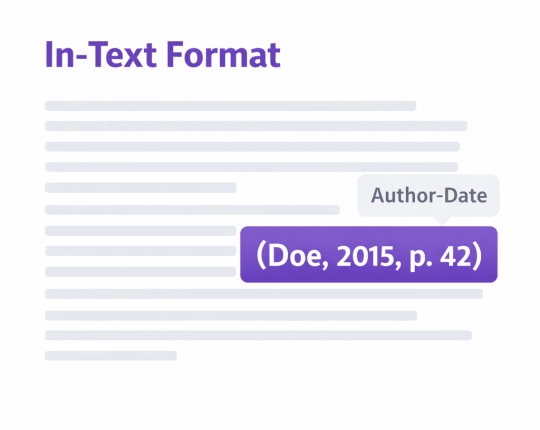
APA 6 uses author–date citations in the text and a References list at the end. Two parts. One source. They must match.
An APA 6th edition citation generator builds the structure (order and punctuation marks). It does not know your intent. That’s on the writer: confirm the exact version you used (PDF vs preprint vs updated web page), then keep the same details across your paper.
If your course is strict: treat this as create citations → check → paste. Not “generate and forget”.
Where APA 6 goes off the rails
These show up in real drafts all the time:
- Wrong year: a preprint year gets used even though the final PDF has a different date published.
- Publisher fields: publisher name is pulled from a reseller page; publisher location is missing.
- Title case vs. sentence case: the title uses capital letters, like “APA 7 habits,” and the entry looks off.
- DOI inconsistency: one entry uses “doi: …”, another uses a URL-style format; the list looks inconsistent.
- Corporate authors: the organization is the author in one spot, but not in the other.
Quick Steps in EduBrain
Select APA 6 as the citation style (this matters first).
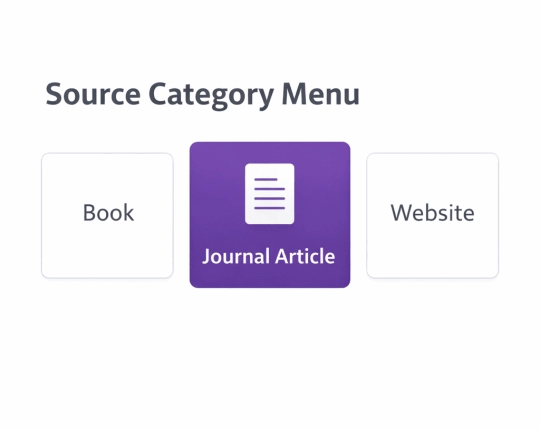
Choose the source type (Journal article, Book, Chapter, Website, Report, Video, Other).
Use Auto when you have DOI/URL/ISBN/ISSN. Use the manual when the record looks thin.
Generate the APA citation, then review the relevant fields.
Copy the Reference entry and the matching in-text citation into your draft.
Manual entry is normal for older books, scanned chapters, PDFs with bad metadata, and institutional pages. Auto is fast, but it guesses.
APA 6 reference page rules (the stuff graders mark)
This is the APA reference page setup that shows up in a lot of APA 6 guides:
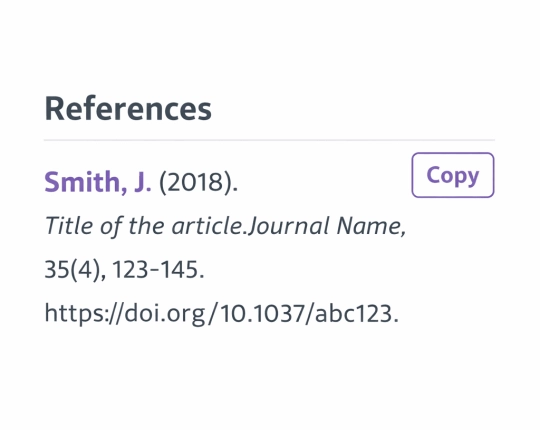
- Title: References (not “Works Cited”, not “Bibliography”, unless your instructor says otherwise).
- Alphabetical order by author surname. No author? The title leads the entry.
- Double-spaced lines in the reference list.
- Hanging indent : first line flush left, second line indented (each entry).
- Fonts vary by course, but Times New Roman is common in older APA 6 templates.
- If your class checks the front matter, title page, and running head rules may be required, too. (Some instructors still enforce them for APA 6 papers.)
If you’re writing in Google Docs, set hanging indent once and stop fighting it entry by entry. That one step saves a lot of edits.
APA in-text citations in APA 6
APA is not a superscript number system like Vancouver. It’s author–date.
- Parenthetical: (Author, Year)
- Narrative: Author (Year) says…
For a direct quote, add a page number. No page numbers? Use a paragraph number for a web source when your guide allows it.
Two common rules that trigger comments:
- Two authors: cite both names each time (per many APA 6 rules).
- Three or more authors: many guides shorten after the first mention (rules vary), so follow your course formatting guidelines and stay consistent.
That’s the real issue: consistency beats “perfect” style when your instructor is skimming.
APA 6 notes by source type
Journal articles
DOI input often pulls the cleanest record. After output, confirm author order, year, article title, journal title, volume(issue), and page range. Then match the DOI format your course expects.
Books and book chapters
ISBN helps, but editions cause mix-ups. For chapters, you need chapter details plus the book container details. Editors and page span matter here. Also, check the publisher name and the publisher location.
Websites
Web pages hide dates and authors. Use the author if a person is named; otherwise, use the organization (corporate authors). Add the page title and the URL. Add a retrieval date only when your guide asks for it.
Reports and agency documents
Corporate author, year, full title, report number if present, and the link you used. Reports are where “almost correct” metadata shows up a lot.
Checks before you copy
A generator repeats mistakes fast. Quick scan:
- Author names: match spelling and order to the PDF title page or article header.
- Year: use the year tied to the version you actually cite.
- Titles: sentence case where APA 6 expects it (watch proper nouns).
- Book fields: publisher name + publisher location if your course requires both.
- Journal fields: journal title, volume(issue), pages or article number.
- DOI/URL: keep a consistent approach throughout the References list.
- Quotes: add page number (or paragraph number) for direct quote citations.
Explore More Citation Styles



 Unlimited AI homework help

 Diagram Generator, Flashcard Maker, Notes Generator, Research Assistant, Answer Generator, AI Homework Helper & AI Detector