

Inequality Calculator
Why Use Our Inequality Calculator

Solutions for All Common Inequalities
The tool works with linear forms, quadratic inequalities, rational inequalities, absolute value cases, and compound forms. Each type follows known algebra rules used in school mathematics. As a result, the inequality calculator covers tasks ranging from basic homework to exam practice, without gaps or skipped inequality symbols across separate inequalities.
Clear Step-by-Step Explanations
Every answer shows the solution process from start to end. A symbol changes only when a rule demands it. Each move stays visible. That way, you can see how values change on the left side, where solution sets appear, and why a value stays valid.
Flexible Input Options
You can type math with symbols and brackets. Also, the system reads text from files, photos, or voice input. Hence, notes from paper or class slides fit the same workflow without format issues.
Unlimited and Free to Use
You can run as many calculations as needed. Access stays open without cost. At the same time, a Pro plan adds deeper AI output and downloads.
Math keyboard with symbols and fractions
The math keyboard keeps input close to textbook notation. That makes it easier for the AI homework helper to follow the structure of the problem.
How to Use the Inequality Calculator






Featured in




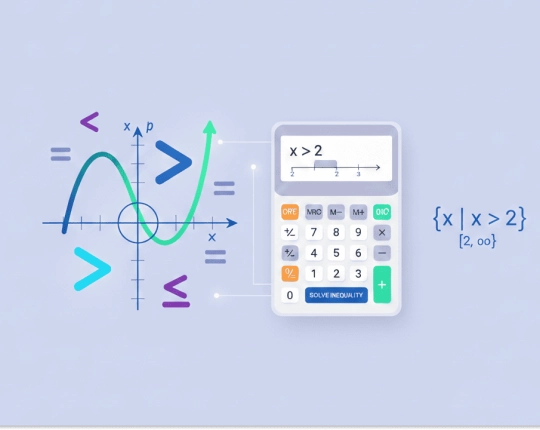
What Is an Inequality Calculator?
An inequality compares values with inequality symbols such as >, <, ≥, or ≤. It shows which values have the same quantity, not one fixed result. By contrast, an equation fixes one value. An inequality calculator reads the expression, follows algebra rules, and returns the valid values.
The answer appears as a set, an interval, or a number line view. When a term drops below zero, the sign switches. If several points equal zero, interval checks with a test value separate valid ranges. As a result, you see where the statement holds true rather than a single value.
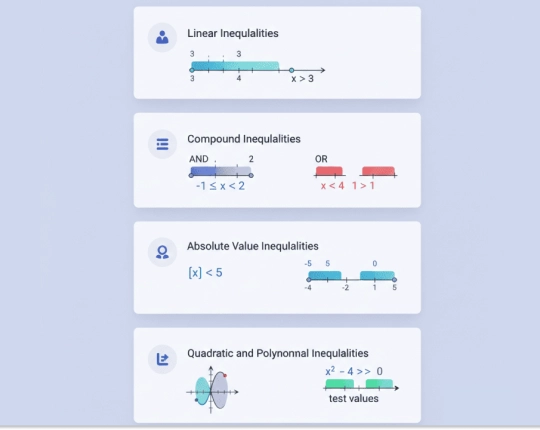
Types of Inequalities You Can Solve
Linear Inequalities
Linear inequalities use one variable with a single inequality sign, such as > or ≤. After you isolate the variable term, the answer shows a range of numbers that satisfy the condition, not one fixed value.
Compound Inequalities
Compound inequalities link two expressions with “and” or “or”. An “and” rule keeps values within one shared range. An “or” rule allows values from separate ranges, often written as intervals.
Absolute Value Inequalities
Absolute value inequalities focus on the distance from a point on the number line. One expression turns into two cases. Each case sets a limit. The final range depends on which values meet the condition.
Quadratic and Polynomial Inequalities
These inequalities depend on points where the polynomial expression equals zero. Each space between those points has a sign. Checking the sign shows which ranges satisfy the rule.
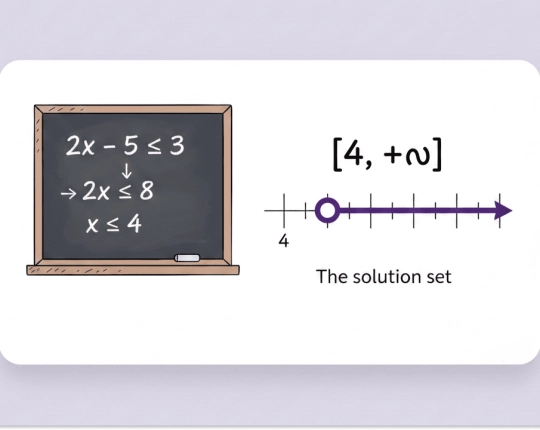
Step-by-Step Inequality Example
Solve the inequality: 2x − 5 ≥ 3
Start by move the constant to the other side: 2x ≥ 8
Next, divide both sides by a positive number (2): x ≥ 4
The solution includes all values greater than or equal to 4.
In interval form, the result is [4, +∞).
On a number line, the point at 4 stays closed with a closed circle, and the shading goes to the right.
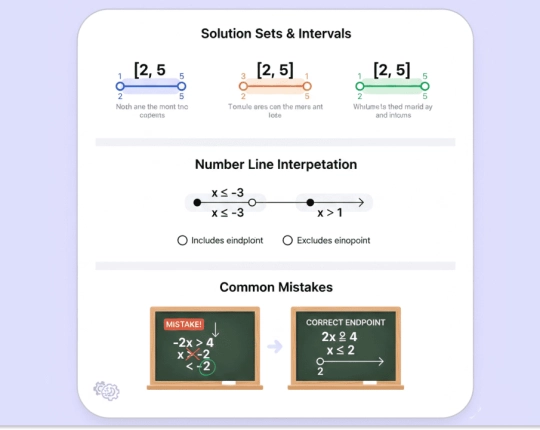
Understand the Results
Solution Sets and Intervals
A solution set lists all values that fit the rule. Intervals show those values with brackets or parentheses. Square brackets include the end value as a closed circle. Round brackets leave it out. Each mark carries meaning.
Number Line Interpretation
On a number line, shaded parts mark valid values as a graphical representation. Filled dots mark allowed values. Empty dots mark values that do not count. Gaps mean values that do not satisfy the rule.
Common Mistakes to Watch For
A missed sign change after multiplying or dividing by a negative number often causes errors. Endpoints also cause trouble. Some values sit on the edge yet stay excluded. Always double-check symbols to avoid any confusion.
When an Inequality Calculator Helps Most
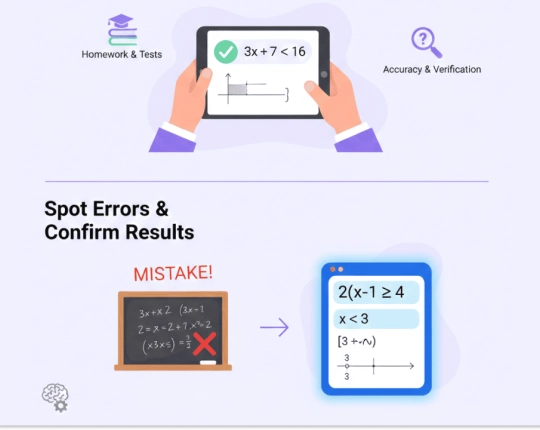
Inequality problems often appear in homework, tests, and practice tasks where accuracy matters more than speed alone. This tool fits moments when you need to check ranges, confirm signs, or verify interval notation. It also helps after manual work, so you can compare results, get correct answers and spot errors before moving on.
Additional Tools and Features
After each result, you can save or download the output. Sharing options allow quick access later or across devices. Stored results help with revision or repeat checks. Core features remain accessible without limits for regular use. However, under a Pro plan, AI responses expand explanations and export formats.
Step-by-Step Solvers for Algebra, Calculus & Geometry


Choose your plan
Free plan
- Unlimited use with ads included
- Free access to all AI tools
- Download all responses (answers, presentations, flashcards, etc.)
- Share responses with others
AI-Plus
- Expert reviews on discounted prices
- Ad-free experience to:
- AI detector
- Diagram generator
- PowerPoint generator
- Answer generator
- Flashcard maker
- Notes generator
- Research assistant
- Download all responses (answers, presentations, flashcards, etc.)
- Share responses with others
- Advanced reasoning
Expert help
- Presentations (human-made)
- Homework help
- STEM support
- Writing assistance
- Editing & proofreading

 Unlimited AI homework help

 Diagram Generator, Flashcard Maker, Notes Generator, Research Assistant, Answer Generator, AI Homework Helper & AI Detector