
Artificial intelligence is no longer a novelty for students. It’s part of their routine. It shows up when an essay...

Best AI Tools for Study Notes: 8 Note-Taking Apps for Lectures and PDFs
Students don’t need one perfect app. They need a setup that can record what they learn in class, clean it up quickly, and help them review before exams. This guide looks at the best AI tools for study notes, designed to turn messy class content into something useful. Features like transcription, summarization, and content organization are tested to help students make the most of their time.
Some tools work best in live classes, offering real-time captions for fast lectures. Others are great for PDFs, research papers, or reading packets, turning them into clear summaries. Some focus on transcriptions and summaries, making it easy to turn long lectures into study notes. A few tools also include productivity features like flashcards and quizzes for quick review. Both free and paid options were tested, as price is an important factor when choosing the right tool for students.
Table of Content
ToggleWhy Study Notes Still Matter in the Age of AI and Apps
More than 95 % of students claim to make notes, and studies have indicated that summarizing work is more effective in learning than mere copying. The issue with ineffective note-taking instruments is that they tend to transform students into text collectors, but not learners, who process and interact with the text. The tools that fail to enhance their comprehension by taking notes only are prone to depriving students of the main advantage of note taking that is to facilitate learning.
The following are just some ways in which good note-taking tools can enhance learning:
- Help organize information: Keep notes structured and easy to review.
- Encourage summarization: Convert lengthy material into concise, digestible points.
- Aid recall: Reinforce memory through organized study aids like flashcards and quizzes.
- Promote active engagement: Encourage deeper thinking about the material rather than passive collection of notes.
A 2024 study also found that typed notes can underperform traditional hand-written notes on delayed tests. This doesn’t mean digital tools are bad, but rather that an AI tool needs to support structure, recall, and review, not just generate more words.
As Alessandro Di Lullo from the Digital Education Council puts it, “The rise in AI usage forces institutions to see AI as core infrastructure rather than a tool.” Rebecca Winthrop from Brookings highlights another point: “Students need to make mistakes and deeply engage with content to become independent thinkers.”
Key Data to Consider Before Choosing a Note-Taking Tool
Here are three key numbers to keep in mind. According to the Campbell University AI Tool Usage Survey Summary, 86% of students are already using AI for their studies, and 54% use it weekly. However, 80% of students feel that AI in universities still doesn’t fully meet their expectations.
The DEC recap describes the process through which students are integrating AI in their learning processes. A lot of them use AI to perform tasks such as material summarization, note organization, and research. These tools are, however, not as advanced or personalized as the students usually require. Such understanding can be used to select the appropriate study tool, which will, in fact, satisfy the needs and expectations of the students.
The Best AI Note-Taking Tools
The AI tools that are best suited for study notes could change the process of students capturing, managing, and revising the material in classes. Whether it is live lectures or PDFs and research papers, these tools assist in making disorganized notes easier to understand and machine-like, and well-structured study tools. Regardless of the type of transcription you need, summary, or a review format, such as flashcards, these AI-based tools could help save time and improve the learning process. The following is a glimpse of the best that can be offered to students nowadays.
| Tool | Best For | Main Strength |
| EduBrain | Clarification, exam prep | Step-by-step explanations, 90+ subjects |
| NotebookLM | PDFs, readings, class notes | Source-based review, citations |
| Otter AI | Live lectures, meetings | Real-time transcription, summaries |
| ChatGPT | Restructuring rough notes | Flexibility in summarizing, review questions |
| Notion AI | Organized notes, summaries | All-in-one workspace for notes |
| Mindgrasp | Study support, flashcards | Converts documents into quizzes and notes |
| OneNote + Copilot | Class notes, shared docs | Strong organization within Microsoft |
| Fireflies.ai | Group discussions, meetings | Live transcription, action items |
1. EduBrain
EduBrain is not designed to be a pure lecture recorder, which works well for students who need more than just raw transcripts. Instead, it helps clarify and expand on existing notes. EduBrain offers options like full breakdowns, step-by-step explanations, or quick answers, and an AI homework helper supporting over 90 subjects. The platform assists with class notes, textbook-style questions, and exam prep.
This renders EduBrain very helpful to make notes more refined following the first lecture. It assists students in picking out areas in their notes where they have fallen short and also gives them clear explanations as a way of enhancing understanding. This is what EduBrain can assist in:
- Arranging crude notes more concisely
- Decomposing complicated ideas into easy-to-understand explanations
- Producing study notes such as flashcards or practice questions
- Helping with exam preparation in terms of topic reviews
- Providing step-wise answers to problems in the textbook
After using EduBrain, students are able to work with more structured, clear study materials, which makes reviewing for exams more effective. The tool does not replace the need for active engagement with the material, but helps reinforce and clarify difficult concepts. EduBrain offers a free version with basic features, and premium plans start at $3.99 per week, unlocking advanced tools and access to additional subjects.
2. Otter AI
Otter AI is a top choice for real-time lecture notes, offering automatic transcription and note-taking for live classes. It supports popular platforms like Zoom, Google Meet, and Microsoft Teams, making it easy to capture class discussions and lectures in real time. This feature is especially valuable for students who need accurate, quick transcripts while attending fast-paced classes.

Otter comes in especially handy where manual notes may lack significant information, like in the case of lectures, discussions, or classes with very heavy accents. It enables the students to concentrate on the content without the fear of staying in line with the taking of notes. The weakness, however, lies in the quality of audio – in case the audio is incomprehensible or distorted, the transcription may turn out to be erroneous. Irrespective of this, Otter is an excellent application for recording live or recorded lectures to review and study them.
3. ChatGPT
ChatGPT is not the go-to tool for initial note-taking, but it’s incredibly helpful once the notes are already taken. It’s great at cleaning up messy material, creating clearer outlines, and turning rough class notes into useful review questions or summaries. For students who have piles of notes from lectures or readings, ChatGPT helps turn them into more organized, digestible content for easier studying.

Here’s how ChatGPT can improve your notes:
- Organize messy notes into clearer, more readable formats
- Generate review questions to help prepare for exams
- Simplify difficult concepts by summarizing them in simpler language
- Create outlines to highlight key points from lengthy notes
- Offer alternative explanations to clarify tough topics using AI features
By pasting in rough notes, students can quickly get a simplified version, a quick recap, or possible exam questions. However, it’s important to double-check the output against the original material, as AI-generated summaries might miss key details or introduce errors. ChatGPT is a powerful tool for refining notes, but it’s best used alongside a review of the original material to ensure everything is accurate and well-understood. ChatGPT offers a free version, but premium access for more advanced features and longer sessions starts at $20 per month.
4. Notion AI
Notion AI can be used by students who have already been using Notion to organize their semester work and leverage its AI features. Its AI Meeting Notes can record, transcribe, and automatically summarize calls, and its applications can swiftly summarize extensive portions of text and extract major themes out of cluttered text. This assists the students to remain organized and easily extract the most crucial information in their notes, readings, and lectures.

To the students who are already taking notes with the help of Notion, the AI capabilities prove to be even more helpful in making the process of organizing and revising the content simpler. Although it might not be the most appropriate choice for individuals who are simply interested in recording lectures, it is an effective solution when it comes to handling and summarizing notes, assignments, and course materials within a single location. Notion is free with a few features, and paid subscriptions with more features and artificial intelligence features begin at $8 monthly.
When exploring the best AI tools for study notes, students tackling advanced calculus can also benefit from using a calculator for derivatives to quickly verify their work and understand complex mathematical concepts.
5. Mindgrasp
Mindgrasp is a highly student-centered tool, setting itself apart from many generic AI note-taking tools. According to its official pages, Mindgrasp can record live lectures or accept uploaded documents, PDFs, YouTube videos, and recordings. It then transforms this material into notes, summaries, flashcards, quizzes, and even AI tutor responses.

This makes it especially useful during exam season, as it quickly converts various types of content into multiple study formats. However, for students who only need a simple transcript or a brief summary, Mindgrasp can feel like overkill. Pricing for Mindgrasp varies, with premium plans starting at $10 per month, providing access to all features and study tools, making it a comprehensive option for those who need in-depth support for their studies.
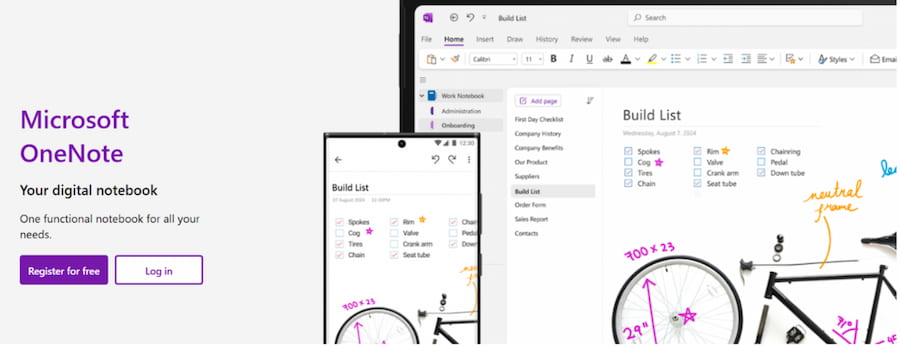
6. OneNote + Copilot
If you’re already using Microsoft products, OneNote with Copilot is a practical option. It can summarize notes, cite sources, and pull in information from Microsoft 365 files and messages, making it easy to keep everything in one place.

Here’s how OneNote with Copilot can help:
- Summarize notes quickly and clearly
- Cite source material from linked files
- Pull in information from other Microsoft 365 apps
- Organize study materials in one central space
OneNote with Copilot is included with certain Microsoft 365 plans. Basic OneNote is free, but the Copilot features usually require a Microsoft 365 subscription, which starts at around $6.99 per month for individual users. This makes it a cost‑effective choice for students who already use Word, Outlook, and other Microsoft tools.
7. Fireflies.ai
Fireflies.ai is primarily used in meetings; however, it can also be used during seminars, group projects, laboratories, and protracted review calls. The platform allows live transcriptions, notes, and action items, which can be downloaded to read later. It can be integrated with different applications, such as Zoom, Google Meet, and Microsoft Teams, so it is not difficult to record the conversation and other substantial information in real time.

The tool tends to be particularly effective when the content one is to retain is based on discussions, brainstorming, or group work as opposed to official lectures or reading files. Fireflies.ai can be useful in making sure that you do not miss important points and action items, and it can also be a great solution to organize and review what was discussed during meetings and group work.
8. NotebookLM
NotebookLM is the initial one to use in case a course depends on PDFs, lecture slides, Google Docs, or recordings. It is able to deal with uploaded PDFs, websites, YouTube videos, audio files, Docs, and Slides, creating summaries, study guidelines, and quizzes with in-line citations, enhancing the overall workflow. This source-based method is necessary to trace the origin of information.

The most interesting feature of NotebookLM is its design. Lecture slides, set readings, and scribbled notes can be uploaded, and a neat, brief study guide can be commissioned without losing the sources. This functionality comes in handy, especially when dealing with complicated issues, in order to maintain the context and references in the study material and to be accurate.
When exploring the best AI tools for study notes, students can also benefit from using a free fractions calculator to quickly solve complex equations and ensure their mathematical work is accurate.
Starting with Free AI Options
In cases where the priority is free AI tools, a number of tools will assist students to organize, clarify, and revise the study materials without incurring fees. These applications improve the effectiveness of taking notes and facilitate the organization of the material in the classroom and exam preparation. As an example, NotebookLM is ideal for summarizing and organizing documents such as PDFs and class notes. EduBrain is used to simplify the hard-to-understand material and make the disorganized notes more understandable. ChatGPT can be utilized to reorganize disorganized notes as well as develop study questions. Otter AI records live lectures or Zoom meetings and converts them into transcripts to be easily reviewed. Although the free tools do not have as many features and support as the paid ones do, they offer a solid base to remain organised and get ready for exams.
Pitfalls, Privacy, and What to Watch Out For
It’s important not to blindly trust AI-generated text. AI summaries can be useful, but they shouldn’t replace a real review of the original material. Before uploading sensitive class discussions or personal data, always check the privacy terms to ensure your information is safe. Relying too much on AI to skip over active learning can lead to poor recall and a lack of understanding later.
We recommend checking the main information, such as names, formulas, technical terms, etc., by the time one trusts the AI-generated notes fully. Check that the summary is correct to the original content and search for citations, or tracking of the source, to ensure that the information is correct. Artificial intelligence is not merely the production of clean text, but it should assist you in learning and comprehending. Remember that the quality of audio or hard-to-detect accents may be a problem with any good AI-based tools, and therefore, it is always best to check the results against reality.
So, What is the Best AI for Study Notes?
The use of AI tools in studying notes can greatly enhance the way students arrange their class assignments and revise them. These applications assist in making the process of taking notes more efficient, summarizing complicated information, and converting disorganized notes into formats that are easy to study, such as flashcards and quizzes. They particularly come in handy when it comes to retrieving lecture information, PDF files, and recordings, and then preparing to take tests using AI features.
Nevertheless, to exploit the benefits of these tools, the students must ensure that AI-created content is accurate, particularly when involved in technical terms or other specifics. It is possible to understand AI too superficially when overdepending on it without being actively involved in the material. When AI support is combined with careful consideration, it will guarantee that students will be able to memorize and utilize what they have learned successfully.
Explore Similar Topics
Many students say math is the subject they fear the most. Not because they never understood numbers, but because at...
In 2025, automated assistants can produce emails, blog posts, study notes and technical summaries within seconds. This efficiency is useful,...