
AI tools now shape much of what people read online and in classrooms. This makes it harder to know if...
How to Trick AI Detectors: Bypass AI Detection
If you’ve ever pasted a draft into an AI detector and watched the score come back 90% AI-generated, you know that sinking feeling. If you use ChatGPT to help you write faster, knowing how these tools work can be extremely useful.
Edubrain’s AI detector, ZeroGPT, and Copyleaks can be extremely useful; that’s for sure. However, none of them is perfect and can give false positives at times. And, most of all, you can actually learn how to trick them.
This guide walks you through the actual mechanics of AI detection, what makes AI text get flagged, and the practical steps you can take to make AI-assisted writing sound more like you.
Table of Content
ToggleUnderstanding AI Detection Technology against AI Writing

AI detectors run statistical analysis on your writing, looking for patterns that are consistent with how the AI systems generate text. Most detectors spot AI by measuring 2 things: perplexity and burstiness.
Perplexity is a measure of how predictable each word choice is. AI writing tends to be low-perplexity, meaning that the AI algorithm picks the most statistically probable next word. Human writing is messier and less predictable, which scores higher on perplexity.
Burstiness, on the other hand, is basically the variation in sentence length and structure. What humans do is mix short sentences with longer ones, simple passages with much more complex explanations. Instead, AI tends to produce sentences of similar length throughout a passage.
Identifying Key Features of AI-Generated Content
Most pieces of AI writing have several of these AI features. The most obvious tell is consistent sentence length. There’s often an almost hypnotic regularity to AI content produced by ChatGPT. On the other hand, human writers speed up, slow down, and occasionally derail themselves mid-sentence.
Then there’s the vocabulary. AI defaults to a slightly formal, slightly corporate register: “delve into,” “it is important to note,” “in today’s fast-paced world.” These phrases appear so frequently in AI outputs that every AI detector has essentially learned to treat them as red flags.
AI writing also tends to avoid any personal perspective. It rarely admits uncertainty, expresses an honest opinion, or shares an anecdote.
Step 1: Analyze Your Content with AI Content Detectors
When you paste your text into a detector, you need to read the output carefully. Look at which specific passages are flagged.
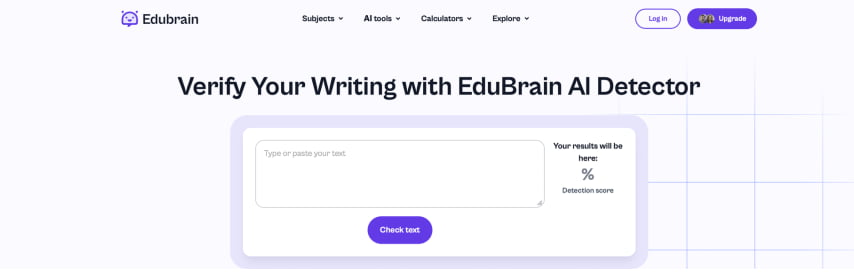
Edubrain’s AI detector highlights flagged sections directly in your text, which makes this diagnostic step much faster than guessing. ZeroGPT and Copyleaks offer similar highlighting features, with the latter even pointing out which sentences are typically used the most by AI tools. Make sure you run your text through at least 2 tools, since they use different models and will flag different things.
Also, be aware that tools like Copyleaks spread the highlighted text like wildfire; if the tool identifies a sentence, it will not only highlight that but also everything surrounding it. This explains why for some short texts, the result is either 0% or 100%. And this is why it’s important to avoid blindly trusting a single tool and try different ones. Click the image below to check you writing with the best plagiarism checker.
While you’re reviewing, ask yourself 3 questions about each flagged section:
- Is the sentence length similar to the surrounding sentences?
- Does the phrasing sound like something you’d say out loud?
- Is there any personal perspective in this passage?
Step 2: Modify Sentence Structure after AI Content Detection
The technique here is simple. Either combine two sentences into one longer sentence or break one into two shorter ones. You can also incorporate a specific point of view to make the reader feel like an actual person is reasoning through the topic.
A single sentence like “I ran into exactly this problem last spring when my team switched to async-first communication” goes a long way when humanizing a paragraph.
Step 3: Rephrase to Enhance Vocabulary and Tone
Word choice matters, especially for the specific phrases that detectors have learned to flag. The goal is to write the way you actually think.
To fix tone, try adding one of the following to any flagged passage: a brief moment of uncertainty (e.g., “I’m not entirely sure this is the right framing, but…”), or a direct address to the reader (“If you’ve ever done X, you know exactly what I mean”).
Context matters too. Tone fine-tuning is about sounding like the right human for the right topic.
Step 4: Introduce Intentional Imperfections When Using AI Content
Perfect writing is suspicious. Human writers start sentences with conjunctions. They occasionally use comma splices. Or again, they rely on the same word twice in a paragraph because they forgot they used it earlier.
You don’t need to introduce errors that make your writing worse or harder to read. You can aim for strategic imperfection:
- Starting a sentence with “And” or “But”.
- Choosing contractions.
- Allowing a mild repetition that you’d naturally produce in speech.
Ultimately, aim for the level of imperfection you’d find in a well-written blog post, not a student who didn’t proofread. Of course, though, don’t go too far: what matters is the quality of your text.
Step 5: Use Creative Formatting to Trick AI Content Detectors
AI tends to overformat, whereas human formatting tends to be more purposeful and less uniform. Ask AI for an article, and you’ll often get a long series of bullet lists, with each section looking like the last, heading after heading. Ask AI for a motivational post, and you’ll basically get the same structure every time; if you were wondering why all LinkedIn posts look the same recently, the answer is called ChatGPT.
Human writers, on the other hand, use formatting to serve the content, not to fill space. A table makes sense when you’re comparing things. A bulleted list makes sense when you have 3-4 or more genuinely parallel items.
When editing AI output, a useful strategy is to remove at least one bullet list and replace it with discursive text. If the passage reads better as a paragraph, it should be turned into one.
Step 6: Using Tools That Help You Humanize
Manual revision gets you most of the way there. But when you’re working against a deadline or dealing with a particularly long text, AI humanizer tools can speed up the process considerably.
Free tools like Edubrain’s AI Humanizer and StealthWriter are specifically designed to rewrite flagged passages in a way that reduces perplexity scores and introduces more natural variation.
Manual review is non-negotiable, as humanizers can introduce awkward phrasing or subtly change your meaning. This means you want to go through the rewritten versions side by side with your originals, accepting what reads well and rewriting what doesn’t.
Don’t forget that humanizer tools can restructure sentences, but can’t insert the personal anecdote, the counterintuitive take, or the specific detail that turns AI-generated text into human-like, unique content. We suggest you use them for mechanical work, while saving your editorial energy for what only you can contribute to the process of using AI to create content that evades AI detection.
Testing Your AI Content Once More to Bypass AI Detectors
Once you’ve made your revisions, it’s time to test your updated text through the same tools you used at the start.
If a section is still flagging despite your revisions, read it aloud once more. If it doesn’t sound like something you’d say in a conversation, it still needs work.
The iterative loop looks something like this:
Step 1. Run the original text through AI detection tools and note flagged sections.
Step 2. Vary sentence structure, swap flagged phrases, and add personal voice.
Step 3. Check the AI score of the revised text through the same tools, and compare the results.
Step 4. Target any remaining high-flagged sections with targeted rewrites.
Step 5. Does the text finally sound like you? If yes, it’s ready.
Still, don’t let the detector score become the entire goal. A text can score 0% AI and still be bad writing. Don’t use the detector as a quality meter, as beating AI should never be your main purpose.
A Note on Ethics and Responsible Use of AI Models
Understanding AI detection is genuinely useful. But misrepresenting AI-generated work as human-written in contexts where that distinction matters is wrong. Think of academic submissions, journalistic pieces, or professional reports. AI detectors were originally created for AI content detection in exactly these contexts.
As a student, scholar, journalist, or professional, the consequences when getting caught using AI-generated content tend to be significant. The use of AI could potentially expose you to the risk of plagiarism, too. It’s always your responsibility to check for the source of any information, claims, or methods of dubious validity. And find out whether there’s any sound evidence that supports them.
The most sustainable approach is learning to use AI as a tool that speeds up your thinking, generates material you then revise and own. You don’t need to avoid AI as a whole: you only need to be invested in every stage of the creation process. It starts with crafting detailed prompts, continues with editing and humanizing AI-generated outputs with the help of AI content detectors, and ends with producing a piece that genuinely reflects your voice.
The Bottom Line
AI detection tools are improving, but they are still far from infallible. The gap they’re trying to close is the gap between statistically predictable text and the messy, specific, personal thing that human writing actually is. You can follow the steps illustrated in this guide to make your writing sound as if it were written by a human.
If you want to test where your content currently stands, free AI content detection tools can give you a quick, clear read. Use them as nothing but diagnostic tools. The writers who get the most out of AI aren’t the ones who figure out ways to trick AI content detectors for the sake of it, but those who create content that stands out for originality.
Explore Similar Topics
In 2025, automated assistants can produce emails, blog posts, study notes and technical summaries within seconds. This efficiency is useful,...
In the past couple of years, AI tools like Edubrain have become essential for students, researchers, content creators, and professionals...